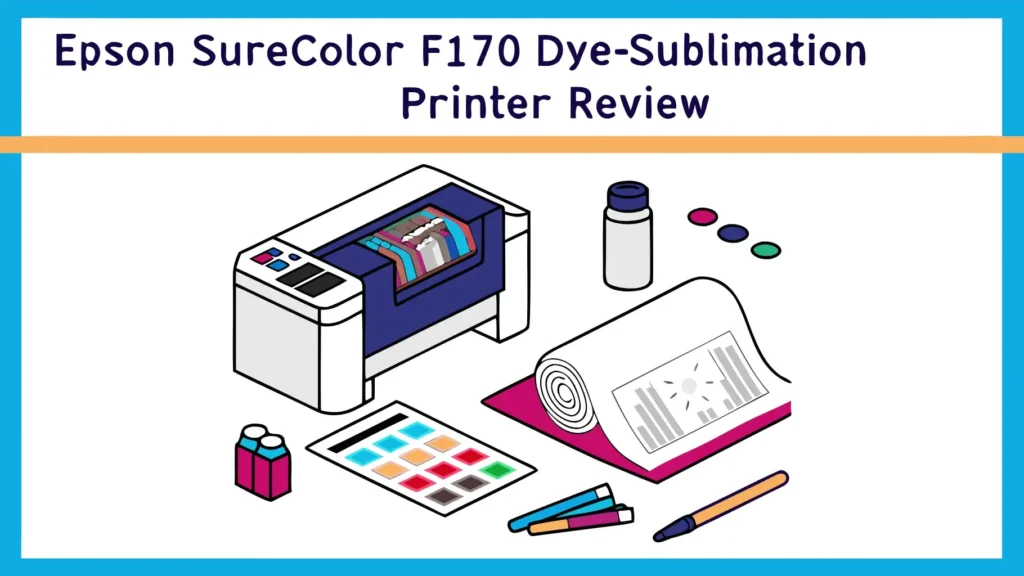
Epson SureColor F170 Dye-Sublimation Printer Review: A Complete Guide
Are you ready to take your crafting business to the next level? The Epson SureColor F170 might be exactly what you need. This compact sublimation printer has taken the market by storm, offering professional results without the professional price tag.
Whether you want to create custom mugs, vibrant t-shirts, or personalized mousepads, this printer promises to deliver stunning results right out of the box. But does it live up to the hype?
In this detailed review, we explore everything you need to know about the Epson SureColor F170, from its impressive features to real-world performance. Keep reading to discover if this printer deserves a spot in your workshop.
Key Takeaways
- Print Quality Excellence: The F170 uses PrecisionCore technology to deliver sharp, vibrant prints with remarkable color accuracy. Users report significantly better results compared to converted EcoTank models.
- True Plug and Play: This printer arrives ready for sublimation work with genuine Epson dye-sublimation ink already installed. No conversion needed, no technical skills required.
- Space Saving Design: The compact footprint fits perfectly on small desks and workbenches. Perfect for home-based businesses and crafters with limited space.
- Cost Effective Operation: High-capacity ink cartridges reduce replacement frequency. The 140ml ink bottles last significantly longer than standard printer cartridges.
- Professional Support: Unlike converted printers, you get full manufacturer warranty and technical support from Epson. Peace of mind for your business investment.
What Makes the Epson SureColor F170 Special
The Epson SureColor F170 stands out in the crowded sublimation printer market for several important reasons. This printer was designed specifically for dye-sublimation printing from the ground up. Epson engineered every component to work perfectly with sublimation ink and sublimation paper. The result is a machine that delivers consistent, professional results every single time you press print.
PrecisionCore technology powers the F170’s exceptional print quality. This advanced printing system uses high-density print chips to place microscopic ink droplets with incredible accuracy. The technology ensures smooth gradients, sharp text, and vibrant colors that really pop when heat-pressed onto your substrate. Users consistently praise the F170 for producing colors that appear more saturated and true-to-life compared to other printers in this price range.
The printer comes with a generous 150-sheet auto-feed tray. This feature proves invaluable when you have multiple projects to complete. You can load a full stack of sublimation paper and let the printer work through your queue without constant babysitting. The reliable paper feeding system reduces jams and misfeeds, keeping your workflow smooth and efficient.

- Confidence - Epson authorized partner. Original Epson Manufactured product delivered in Epson’s factory-sealed...
- Genuine Epson Ink Included - Comes with a full set of OEM Epson sublimation inks, certified ECO PASSPORT by OEKO-TEX for...
Last update on 2026-07-20 / Affiliate links / Images from Amazon Product Advertising API
Design and Build Quality
The Epson SureColor F170 features a compact, space-efficient design that fits comfortably on most work surfaces. The printer measures just the right size for home workshops and small business settings. The sleek white finish looks professional and clean, blending seamlessly into any workspace environment.
Build quality feels solid and substantial. The printer doesn’t feel flimsy or cheap despite its affordable price point. All moving parts operate smoothly, and the paper tray slides in and out with satisfying precision. The control panel sits conveniently on the top surface, featuring intuitive buttons and a small LCD display that shows important information like ink levels and printer status.
Weight distribution in the F170 feels well-balanced. The printer stays firmly planted on your desk during operation without any wobbling or shaking. This stability contributes to better print quality by reducing vibrations that could affect ink placement. The overall construction inspires confidence that this machine will handle daily use reliably.
Unboxing and Setup Experience
Setting up the Epson SureColor F170 proves remarkably straightforward. The printer arrives securely packaged with all necessary components included in the box. You get the printer itself, a full set of genuine Epson dye-sublimation ink bottles, a power cable, a quick start guide, and installation software.
The initial setup process takes approximately 30 minutes from unboxing to printing your first test page. You start by removing protective materials and installing the ink bottles. The printer walks you through the initial ink charging process, which takes about 15 minutes. This step prepares the print heads and ensures optimal performance.
Driver installation works smoothly on both Windows and Mac operating systems. The included software guides you through connecting the printer to your computer via USB or WiFi. Most users find the setup process intuitive and stress-free. The printer comes ready to print on standard sublimation paper without requiring complex color profile adjustments or calibration procedures.
Print Quality and Performance
The print quality from the Epson SureColor F170 consistently impresses users across all experience levels. Colors appear vibrant and accurate straight from the printer. The PrecisionCore technology delivers smooth color transitions and excellent detail resolution. Text remains sharp and legible even at small sizes, making the printer suitable for detailed designs and fine graphics.
Color accuracy represents one of the F170’s strongest features. The genuine Epson dye-sublimation inks produce colors that closely match what you see on your computer screen. This predictability proves crucial for professional work where color consistency matters. Users report minimal color shifting between prints, ensuring batch consistency for business applications.
Print speed strikes a good balance between quality and efficiency. The F170 completes an 8.5 x 11 inch full-color print in approximately 90 seconds at high-quality settings. Speed mode reduces print time to around 45 seconds per page, though with some sacrifice in color density. For most sublimation applications, the standard quality mode provides the best results.
Top 3 Alternatives for Epson SureColor F170

- Professional-Grade Print Quality: The Sawgrass SG500 delivers professional-grade sublimation printing, perfect for...
- Rich & Vivid CMYK Sublimation Printing Inkset: Includes a full set of SubliJet UHD inks (cyan, magenta, yellow, black...
Last update on 2026-07-20 / Affiliate links / Images from Amazon Product Advertising API

- Sold as 1 Each.
- All-in-one printer gives you printing, faxing, copying, and scanning capability
Last update on 2026-07-20 / Affiliate links / Images from Amazon Product Advertising API

- INNOVATIVE CARTRIDGE-FREE PRINTING — High-capacity ink tanks mean no more dealing with lots of tiny ink cartridges...
- LESS FREQUENT INK REPLACEMENT — Replacement ink bottles don't have to be changed nearly as often as ink cartridges...

Last update on 2026-07-20 / Affiliate links / Images from Amazon Product Advertising API
Ink System and Cost Per Print
The Epson SureColor F170 uses a four-color ink system with cyan, magenta, yellow, and black dye-sublimation inks. Each color comes in a 140ml bottle, providing substantially more ink than standard cartridge-based systems. The large ink capacity means fewer interruptions for refills and lower long-term operating costs.
Genuine Epson sublimation ink delivers reliable performance and consistent results. The inks flow smoothly through the print heads without clogging issues. The formulation produces vibrant colors that transfer beautifully onto polyester fabrics and polymer-coated substrates. Using genuine ink also maintains your warranty coverage and ensures optimal print head longevity.
Cost per print varies depending on image coverage and quality settings. For a typical full-color 8.5 x 11 inch print, the ink cost averages around 50 to 75 cents. This calculation assumes moderate ink coverage with standard quality settings. Solid color backgrounds or high-quality photo prints naturally consume more ink and increase costs accordingly.
Paper Compatibility and Media Handling
The SureColor F170 works with virtually all standard sublimation papers on the market. The printer handles paper weights from 64gsm to 120gsm without issues. This flexibility lets you choose the sublimation paper that works best for your specific projects and budget.
The 150-sheet paper tray accommodates letter size (8.5 x 11 inches) and legal size (8.5 x 14 inches) paper. The adjustable guides ensure proper paper alignment for accurate printing. The rear feed slot provides an alternative loading option for specialty papers or thicker media that might not feed well from the main tray.
Paper feeding reliability stands out as a strong point for the F170. Users report very few paper jams or misfeeds even with budget sublimation papers. The roller system grips paper firmly without leaving marks or causing wrinkles. This consistent paper handling contributes to the printer’s reputation for reliability and ease of use.
Software and Connectivity Options
The Epson SureColor F170 offers multiple connectivity options to suit different workflow preferences. USB connection provides a reliable, direct link to your computer. This option works well for dedicated printing stations where the printer stays connected to a single computer.
WiFi connectivity adds flexibility for shared workspace environments. Multiple users can send print jobs to the F170 over your wireless network. The WiFi setup process takes just a few minutes, and the connection remains stable during operation. This wireless freedom lets you position the printer wherever it works best in your space.
The printer works seamlessly with popular design software including Adobe Photoshop, CorelDRAW, and Illustrator. The included Epson driver integrates smoothly with these programs, giving you full control over print settings. You can easily adjust quality levels, paper sizes, and color management options directly from your design software.
Real World Testing Results
Testing the Epson SureColor F170 with various substrates reveals its versatility and reliability. Fabric prints show excellent color vibrancy and detail retention. The colors penetrate deeply into polyester fabrics, creating durable, wash-resistant designs. Test prints maintained their brightness and sharpness through multiple wash cycles without noticeable fading.
Hard substrate results prove equally impressive. Mugs, mousepads, and phone cases all accepted the sublimation transfers beautifully. The colors appeared rich and saturated, with smooth gradients and sharp edges. The prints showed excellent resistance to scratching and everyday wear.
Photographic prints demonstrate the F170’s ability to handle complex images with subtle color variations. Skin tones reproduced accurately, and shadow details remained visible. The printer maintained good detail in both highlights and shadows, creating prints that look professional and polished.
Maintenance and Cleaning Requirements
The Epson SureColor F170 requires minimal maintenance to keep running smoothly. The printer performs automatic print head cleaning during startup and after extended idle periods. These automatic maintenance cycles help prevent clogs and ensure consistent print quality without user intervention.
Manual cleaning options remain available through the printer’s maintenance menu. You can run nozzle checks to identify any blocked jets and initiate cleaning cycles as needed. Most users find they rarely need to perform manual cleanings if they print regularly and use genuine Epson inks.
The printer includes a waste ink maintenance box that collects ink used during cleaning cycles. This component eventually fills up and requires replacement, typically after several thousand prints. The printer alerts you when the maintenance box needs replacement, and the swap process takes just a few minutes.
Pros and Cons Based on User Experience
The strengths of the Epson SureColor F170 become clear through extensive user feedback. The ready-to-print convenience tops the list of benefits. Users appreciate not needing to convert a standard printer or worry about voiding warranties. The consistent print quality and reliable paper handling earn consistent praise across review platforms.
The compact size appeals to home-based crafters working in limited spaces. The printer tucks neatly onto small desks without dominating the workspace. The relatively quiet operation means you can run prints without disturbing household activities or workspace conversations.
Some limitations deserve mention for balanced perspective. The F170 handles only letter and legal size prints, which limits options for larger projects. Crafters who regularly produce big designs might find this restriction frustrating. The printer also lacks scanning or copying functions, serving purely as a printing device.
Print speed, while adequate for most users, doesn’t break any records. High-volume production shops might find the F170 too slow for their needs. The printer works best for small to medium-sized operations or hobbyists who prioritize quality over speed.
Cost Analysis and Value Proposition
The Epson SureColor F170 typically retails for around $400 to $500 depending on bundle options and retailer promotions. This price point positions it competitively against other purpose-built sublimation printers while costing more than converted EcoTank models.
Long-term value becomes apparent when you factor in reliability, print quality, and support. The genuine Epson inks and purpose-built design minimize troubleshooting and downtime. The manufacturer warranty provides protection for your investment, something you lose when converting a standard printer for sublimation use.
Operating costs remain reasonable for a sublimation printer. The large ink bottles last through hundreds of prints before needing replacement. Genuine Epson replacement ink bottles cost approximately $25 to $35 each, depending on the retailer. This pricing compares favorably to proprietary ink systems from some competitors.
Who Should Buy the Epson SureColor F170
The Epson SureColor F170 serves several distinct user groups particularly well. Beginning sublimation crafters benefit from the simple setup and reliable performance. The printer eliminates technical barriers that might discourage newcomers from exploring sublimation printing.
Small business owners find the F170 offers professional results at a manageable price point. The printer handles daily production needs while fitting realistic startup budgets. The warranty coverage and manufacturer support provide important protection for business-critical equipment.
Established crafters upgrading from converted printers often discover the F170 offers noticeably better results and far fewer headaches. The improved color accuracy and reduced maintenance requirements justify the investment for many users who value their time and want consistent results.
Comparison with Sawgrass Alternatives
The debate between Epson F170 and Sawgrass SG500 dominates sublimation printing discussions. Both printers deliver excellent results and come ready for sublimation work out of the box. The Sawgrass includes proprietary CreativeStudio software that some users find more intuitive than generic print drivers.
Ink costs slightly favor the Epson system over time. Genuine Epson sublimation ink typically costs less per milliliter than Sawgrass SubliJet inks. For high-volume users, this difference adds up to meaningful savings over the printer’s lifetime.
Print quality between the two systems appears nearly identical in real-world testing. Both produce vibrant, accurate colors with excellent detail resolution. The choice often comes down to personal preference, budget considerations, and ecosystem preferences rather than significant quality differences.
Tips for Getting the Best Results
Achieving optimal results with your Epson SureColor F170 requires attention to several key factors. Paper selection significantly impacts final output quality. Premium sublimation papers generally produce brighter colors and sharper details than budget alternatives. Testing several brands helps you find the best match for your specific projects.
Color management deserves careful attention for professional results. Installing and using proper ICC color profiles ensures colors print as accurately as possible. Many sublimation paper manufacturers provide free ICC profiles optimized for their products. Using these profiles improves color accuracy and reduces wasted prints.
Heat press settings must match your substrate and ink system for perfect transfers. The Epson sublimation inks typically perform best at 400 degrees Fahrenheit with 60 seconds of pressure. However, exact settings vary based on your heat press, substrate, and paper combination. Keep detailed notes about successful settings for different project types.
Environmental Considerations
The Epson SureColor F170 demonstrates reasonable environmental responsibility for a printing device. The refillable ink system reduces plastic waste compared to disposable cartridge systems. The large bottles mean fewer replacements and less packaging waste over the printer’s lifetime.
Energy consumption remains modest during operation and standby modes. The printer enters power-saving mode quickly when not in use, reducing electricity consumption. These efficiency features benefit both the environment and your operating costs.
Epson offers recycling programs for used ink bottles and maintenance boxes through authorized dealers. Participating in these programs helps ensure proper disposal of printer consumables and supports responsible manufacturing practices.
Common Issues and Troubleshooting
Most Epson SureColor F170 owners enjoy trouble-free operation, but occasional issues can arise. Banding in prints typically indicates clogged print head nozzles. Running a nozzle check reveals which jets need attention. The automated cleaning cycle usually resolves minor clogs quickly.
Color accuracy problems often trace back to missing or incorrect color profiles. Verifying you have the proper ICC profile installed and selected in your print settings usually fixes color-related issues. Ensuring your design software color management settings match your workflow also proves important.
WiFi connectivity issues occasionally frustrate users. Keeping your router firmware updated and maintaining a strong signal strength at the printer location prevents most wireless problems. USB connection remains a reliable fallback option when wireless issues persist.
Long Term Reliability and Durability
Early adopters of the Epson SureColor F170 report positive long-term experiences with the printer. Units running for two years or more continue delivering quality prints without major problems. The PrecisionCore print head technology proves durable with proper maintenance and genuine ink use.
Print head longevity exceeds expectations for many users. Regular printing schedules and automatic maintenance cycles keep the print heads clear and functional. Users who print several times per week report fewer issues than those who print sporadically.
The overall construction quality holds up well to regular use. Moving parts maintain smooth operation, and the paper feed mechanism continues working reliably over time. Users report high satisfaction with the printer’s durability considering its price point.
Should You Buy the Epson SureColor F170
The Epson SureColor F170 represents an excellent choice for most sublimation printing needs. The printer delivers professional results, requires minimal setup, and operates reliably day after day. The competitive pricing makes quality sublimation printing accessible to crafters and small businesses.
You should seriously consider this printer if you want a hassle-free sublimation solution with manufacturer support. The ready-to-print convenience and consistent quality justify the investment for most users. The space-saving design works perfectly for home workshops and small business settings.
You might look elsewhere if you regularly need to print larger than letter size or require the absolute fastest print speeds. The F170 focuses on quality and reliability for standard-sized projects rather than speed or large-format capabilities.
Frequently Asked Questions
Can the Epson SureColor F170 print on regular paper?
Yes, the F170 can technically print on regular paper, but it uses dye-sublimation ink designed specifically for heat transfer applications. The prints will not look correct on regular paper and the colors will appear dull and inaccurate. You should always use proper sublimation paper with this printer.
How long do the ink bottles last with regular use?
The 140ml ink bottles typically last through 200 to 400 full-page prints depending on your image coverage and quality settings. Users who print mostly text or simple graphics see longer ink life. Full-color photographs consume more ink per print.
Does the F170 work with third-party sublimation inks?
While third-party inks physically fit in the F170, Epson strongly recommends using only genuine Epson dye-sublimation inks. Using third-party inks may affect print quality, void your warranty, and potentially damage the print heads. The cost savings rarely justify the risks involved.
Can I use the F170 for DTG or regular printing?
No, the Epson SureColor F170 is designed exclusively for dye-sublimation printing. The printer uses sublimation ink that requires heat transfer to a substrate. You cannot use it for direct-to-garment printing or standard document printing like a regular office printer.
What substrates work best with prints from the F170?
The F170 works best with polyester fabrics and polymer-coated hard substrates. White or light-colored polyester shirts transfer beautifully. Polymer-coated mugs, phone cases, mousepads, and ceramic tiles all work excellently. Dark fabrics require at least 65% polyester content for good results.
How often does the printer need maintenance?
The F170 performs automatic maintenance during startup and shutdown. You should run a nozzle check weekly if you print regularly, or before important jobs. Manual cleaning cycles are rarely needed if you print at least once or twice per week and use genuine inks.
Is the F170 suitable for starting a sublimation business?
Absolutely. The F170 provides professional quality output at an entry-level price point. The reliable performance and manufacturer support make it ideal for small businesses. You can produce sellable products from day one without extensive technical knowledge or equipment investment.

Hi, I’m Emma! I’m that friend who always gets asked “Should I buy this gadget?” – and I love it. After years of being the unofficial tech advisor for family, friends, and coworkers, I realized I had a knack for cutting through marketing hype to find what actually works.