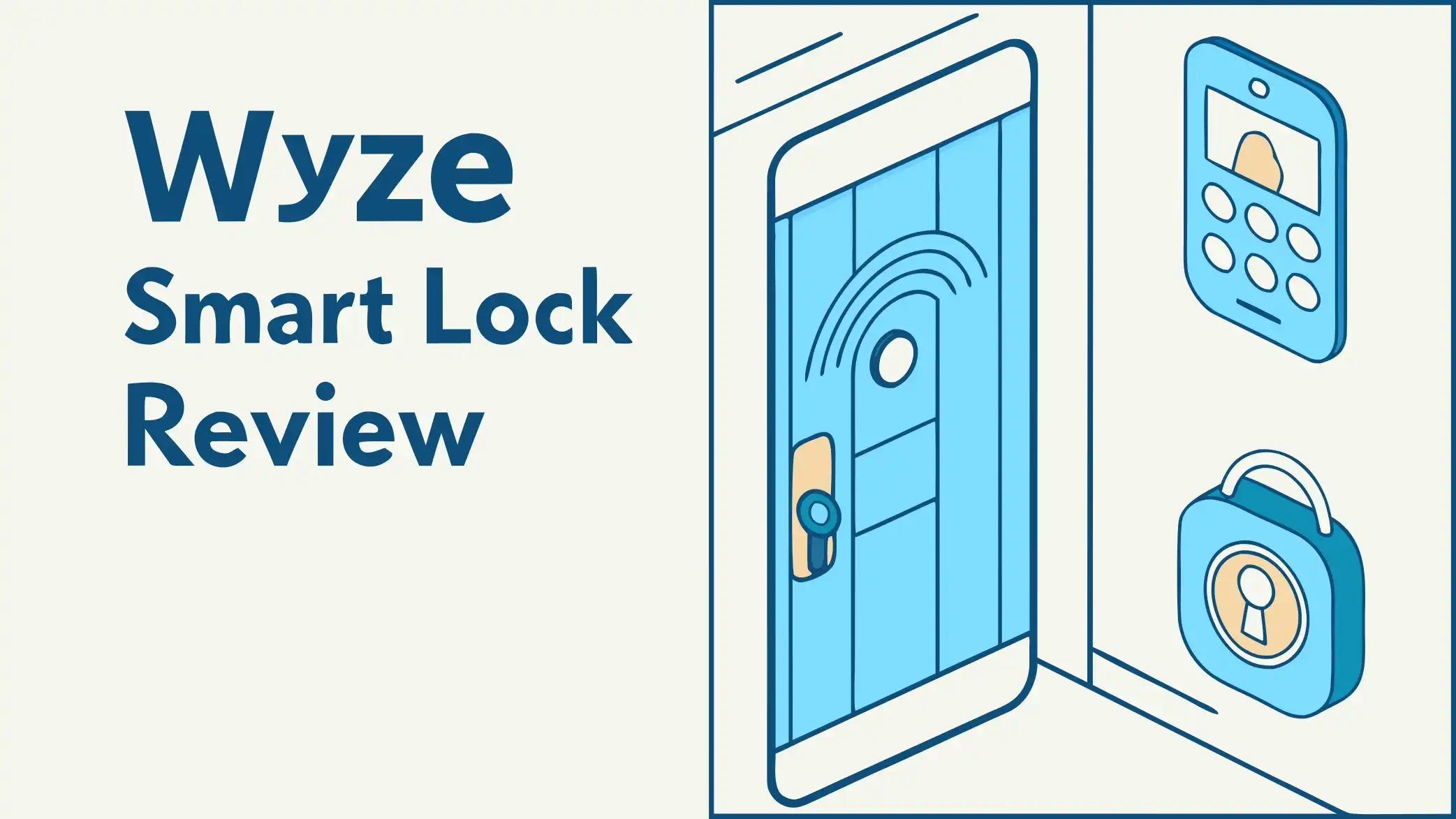
Wyze Smart Lock Review: Is This Worth Your Money?
Your home deserves better security without breaking the bank. The Wyze Smart Lock promises to deliver modern convenience and protection at a price that makes you wonder if you are missing something.
Many homeowners struggle with the same problem. Traditional keys get lost. You forget to lock the door when you leave. Guests arrive when you are not home. The solution seems simple until you look at smart lock prices. Most quality options start at two hundred dollars and climb from there.
Wyze changed this equation by creating a fingerprint enabled smart deadbolt that regular families can actually afford. But does cheap mean compromised? This review will help you decide if the Wyze Smart Lock fits your needs.
Key Takeaways
- Budget price with premium features. The Wyze Lock Bolt costs around seventy dollars but includes a fingerprint scanner that unlocks your door in half a second. Most competitors charge three times more for similar biometric access.
- Easy installation takes twenty minutes. You do not need special tools or professional help. The lock replaces your existing deadbolt with a simple screwdriver and the included installation guide.
- Battery life lasts up to one year. Four AA batteries power the lock for months of daily use. When batteries run low, you get alerts through the app. Emergency USB-C charging lets you power up if batteries die.
- Bluetooth connectivity has limitations. The lock works through Bluetooth which means no WiFi or remote access without additional hardware. You need to be within ten feet to control it from your phone.
- Works offline for reliable access. Unlike WiFi dependent locks, the Wyze Lock Bolt functions even when your internet goes down. Your fingerprint and codes work every time.
What Makes Wyze Smart Lock Different

Last update on 2026-10-24 / Affiliate links / Images from Amazon Product Advertising API
The smart lock market floods you with options. Each brand promises security and convenience. Wyze stands out by focusing on what matters most to budget conscious homeowners. The company built its reputation on affordable smart home devices that actually work. Their approach to door security follows the same philosophy.
Most smart locks force you to choose between features and price. High end models give you every bell and whistle but cost more than your monthly grocery budget. Cheap alternatives save money but skip important features like biometric access. Wyze found the sweet spot by including a fingerprint scanner in a lock that costs less than a nice dinner out.
The Lock Bolt replaces your entire deadbolt assembly. You remove your old lock and install the new one in about twenty minutes. The process requires no special skills or expensive tools. Just a screwdriver and the ability to follow simple instructions. The lock fits almost all standard exterior doors that use single cylinder deadbolts.
Bluetooth connectivity powers the smart features without draining batteries quickly. You connect through your phone when you are nearby. This design choice sacrifices remote access but delivers excellent battery life and reliable operation. The lock does not depend on your home WiFi or internet connection to function.
Installation Process Explained
Installing the Wyze Lock Bolt feels easier than assembling furniture. The box includes everything you need except batteries and a screwdriver. You start by removing your existing deadbolt. Most people finish the entire installation in twenty to thirty minutes.
The instruction manual walks you through each step with clear pictures and simple language. You measure your door to confirm compatibility. The lock works with doors between one and three eighths to two inches thick. Your existing deadbolt hole needs to be two and one eighth inches in diameter. Most exterior doors meet these requirements.
First, you remove the interior portion of your old lock. Second, you take out the deadbolt mechanism from the door edge. Third, you install the new Wyze deadbolt mechanism. Fourth, you mount the exterior keypad. Fifth, you attach the interior portion and secure everything with the included screws.
The lock comes with a paper template that helps you align everything correctly. You do not need to drill new holes or modify your door. The existing holes from your previous deadbolt work perfectly. This makes installation reversible if you ever want to switch back.
After physical installation, you download the Wyze app and pair the lock through Bluetooth. The app guides you through naming your lock and setting up the first fingerprint. You can add multiple fingerprints and create access codes for different users. The whole setup process takes less than five minutes.
Fingerprint Scanner Performance
Speed matters when you arrive home with arms full of groceries. The Wyze Lock Bolt unlocks in about half a second after reading your fingerprint. This ultra fast recognition works consistently across different lighting conditions and weather.
You can store up to fifty fingerprints in the lock memory. This capacity handles large families, frequent guests, or service providers who need regular access. Each fingerprint links to a specific user profile in the app. You can track who entered and when through the access history.
The scanner sits right above the keypad on the exterior portion. You place your finger naturally on the sensor as you approach the door. The backlit display shows you exactly where to touch even in complete darkness. Green lights confirm successful recognition while red lights indicate problems.
Accuracy improves when you register the same finger multiple times. The app recommends adding your thumb or index finger at different angles. This training process takes an extra minute but dramatically improves recognition rates. Users report success rates above ninety five percent after proper setup.
Weather resistance protects the scanner from rain, snow, and humidity. The IPX5 rating means you can spray the lock directly with water without damage. Summer heat and winter cold do not affect fingerprint reading. The sensor continues working in temperatures from negative four to one hundred forty degrees Fahrenheit.
Top 3 Alternatives for Wyze Smart Lock

- 4 Ways to Unlock: Store up to 20 fingerprints and 20 passcodes, plus 2 physical keys and one-time PINs that auto-delete...
- Fast & Smart Fingerprint Access: Our AI-powered fingerprint sensor unlocks your door in 1 second, recognizing prints in...
Last update on 2026-10-24 / Affiliate links / Images from Amazon Product Advertising API
The TEEHO TE002 offers fingerprint access at an even lower price point around forty six dollars. This lock includes automatic locking and a backlit keypad similar to Wyze. The main difference comes in build quality and app functionality. Many users report the TEEHO works well for interior doors or low traffic exterior doors.

- 𝟖-𝐢𝐧-𝟏 𝐔𝐧𝐥𝐨𝐜𝐤 & 𝐕𝐨𝐢𝐜𝐞 𝐂𝐨𝐧𝐭𝐫𝐨𝐥:Use fingerprint, PIN...
- 𝐅𝐚𝐬𝐭 & 𝐀𝐜𝐜𝐮𝐫𝐚𝐭𝐞 AI...
Last update on 2026-10-24 / Affiliate links / Images from Amazon Product Advertising API
The DESLOC B200 Smart Door Lock provides WiFi connectivity that Wyze lacks in the basic model. You get app control from anywhere plus fingerprint and keypad access. The price sits around forty seven dollars making it incredibly competitive. Battery life extends to twelve months with normal use. This lock earned BHMA Grade 3 certification for security standards.

- More Secure:The lock is made of aluminum as a material with high hardness and corrosion resistance, which can...
- Easy to Use: This lock is compatible with most American standard doors and can be easily installed with just a...
Last update on 2026-10-24 / Affiliate links / Images from Amazon Product Advertising API
The Yamiry Keypad Smart Door Lock combines a handle with smart features for sixty eight dollars. You get fingerprint scanning, keypad codes, and app control in one package. The design includes a lever handle instead of a separate knob. This option works better for doors that need integrated handle and lock systems.
Keypad Features and Functions
The backlit keypad gives you multiple ways to unlock your door. You can use fingerprint recognition for speed or enter a numeric code when your hands are full. The keys light up automatically when you approach in darkness. This smart feature saves battery by only activating when needed.
You create custom access codes through the app. Each family member gets their own code. You can generate temporary codes for guests, cleaners, or contractors. These temporary codes expire automatically after a set time period. You never worry about changing locks when someone no longer needs access.
The anti peep feature adds extra security against shoulder surfers. You can enter random numbers before and after your real code. The lock ignores the fake digits and unlocks when it detects your actual code in the sequence. This clever design prevents people from stealing your code by watching you enter it.
Physical buttons provide satisfying tactile feedback. You feel each press clearly even with gloves on. The numbers never wear off because they are backlit from inside rather than printed on the surface. Cold weather and direct sunlight do not fade or damage the display.
One touch locking simplifies securing your door. You press any button on the keypad when leaving. The deadbolt extends immediately without requiring a code. This feature works great when you need to leave quickly or have children who forget to lock doors.
Battery Life and Power Management
Four AA batteries power the Wyze Lock Bolt for up to twelve months under normal use. Normal use means about ten unlocks per day through fingerprint or code entry. Heavier use with more frequent unlocks reduces battery life proportionally.
The app monitors battery levels and sends alerts when power drops below twenty percent. You see the exact percentage remaining at any time through the lock settings. This advance warning gives you plenty of time to buy replacement batteries before any problems occur.
Low battery indicators also appear directly on the lock keypad. Red flashing lights warn you when batteries need replacement soon. The lock continues working for several days after the first warning. You will not get locked out suddenly due to dead batteries.
Emergency power access solves the worst case scenario. If batteries die completely while you are away, you can charge the lock temporarily using the USB-C port on the bottom. Any portable phone charger or power bank provides enough juice to unlock the door and replace the batteries.
Battery performance stays consistent across temperature ranges. Cold winter weather that kills other electronic locks barely affects the Wyze. Hot summer days do not cause premature battery drain. This reliability comes from the efficient Bluetooth connection and optimized power management.
Security Features and Certifications
Physical security starts with BHMA certification which tests locks against forced entry attempts. The Wyze Lock Bolt earned this certification along with UL twenty minute fire rating. These certifications mean the lock withstands professional testing for durability and security.
The deadbolt extends a full inch into your door frame. This standard length provides excellent resistance against kick attacks. The bolt is made from hardened steel that resists sawing and drilling. The entire mechanism protects against common break in methods.
Tamper alerts notify you through the app when someone attempts forced entry. The lock detects unusual vibrations or multiple failed unlock attempts. You can review these events in the access history even if the intruder failed to gain entry.
Encryption protects all communication between your phone and the lock. The Bluetooth connection uses modern security protocols that prevent hacking attempts. Your fingerprint data stores locally on the lock itself. Nothing transmits to cloud servers or leaves your home network.
The physical design includes anti drill plates that protect the internal mechanism. Picking resistance comes from the secure keyway design. Professional locksmiths note the Wyze uses quality components comparable to locks costing much more. The main security limitation comes from the fact it still uses mechanical pins rather than more advanced electronic mechanisms.
Smart Home Integration Options
The basic Wyze Lock Bolt operates through Bluetooth only. This means no native integration with Alexa, Google Home, or other smart home platforms. You control the lock exclusively through the Wyze app on your phone.
Wyze offers a separate product called the Wyze Lock for users who need full smart home connectivity. That model includes WiFi and works with voice assistants. It costs more but provides features like remote access and automated routines.
Voice control enthusiasts might feel disappointed by the Lock Bolt limitations. You cannot ask Alexa to lock your door or check lock status through Google Assistant. All commands require opening the app and tapping buttons.
The Bluetooth design does provide stability advantages. WiFi dependent locks fail when your internet goes down or router needs resetting. The Lock Bolt works regardless of network issues. Your fingerprint and codes function every time without requiring any connection.
Some users work around the limitations using IFTTT or other automation platforms. These workarounds require technical knowledge and may not provide official support. Most people find the trade off between advanced features and reliability acceptable given the price difference.
Access History and Monitoring
Every unlock event records in the app with detailed information. You see who unlocked the door, what method they used, and the exact time. This creates a complete log of all entries and exits from your home.
Fingerprint entries show the specific user name associated with that fingerprint. Code entries display which code number was used. You can assign names to codes so you know if your kids got home from school or the dog walker arrived on schedule.
The history extends back several months depending on usage frequency. You can scroll through past events or search for specific dates. This feature helps verify when contractors worked or confirm your teenager made curfew.
Real time notifications alert you immediately when someone unlocks the door. You can customize which events trigger notifications. Some people want alerts for all unlocks while others only care about specific users or times of day.
The log also tracks locking events. You can verify the door locked behind you after leaving. Parents use this feature to confirm their children locked the door when arriving home alone. The peace of mind from knowing your door is secure provides enormous value.
Temporary Access Codes
Guest access becomes simple with temporary codes. You generate a new code through the app and share it via text message. The code works for whatever time period you specify. Hours, days, or weeks depending on your needs.
Vacation rental owners love this feature. Each guest gets a unique code that expires automatically at checkout. You never worry about previous guests returning or sharing codes. New codes take seconds to create for the next booking.
Service providers get dedicated codes that work on specific days. Your cleaner only unlocks the door on Tuesdays. The lawn service code works on Fridays. This scheduling ensures people only enter when expected.
You can delete codes instantly if plans change. Someone cancels their visit and you remove their access immediately through the app. No need to worry about unused codes remaining active. The deletion happens in real time on the lock.
One time codes provide maximum security for situations requiring single use access. The code stops working after one unlock. Delivery drivers or repair people get in once then the code becomes invalid. This eliminates any chance of unauthorized return visits.
Weather Resistance and Durability
The IPX5 weatherproof rating means the lock handles direct water spray from any direction. Rain storms, snow, and sprinklers will not damage the electronics. The seal protects against moisture intrusion while allowing proper ventilation.
Temperature extremes from negative four to one hundred forty degrees Fahrenheit do not stop the lock from working. Cold winter mornings and hot summer afternoons barely affect performance. The fingerprint scanner and keypad remain responsive regardless of weather.
UV resistance prevents sun damage to the finish and plastic components. The black coating does not fade or become brittle after years of sun exposure. The keypad numbers stay bright and readable without clouding or yellowing.
Physical durability shows in the construction materials. The housing uses high quality plastics that resist cracking from impact. The metal components use corrosion resistant finishes. Salt air in coastal environments does not cause rust or degradation.
Users report solid performance after months of outdoor exposure. The lock maintains its appearance and functionality through changing seasons. Regular cleaning with mild soap and water keeps it looking new. The low maintenance design saves time and money over the lock lifespan.
App Experience and User Interface
The Wyze app provides a clean interface that makes sense immediately. You see your lock on the home screen with current status displayed clearly. Locked or unlocked shows with obvious visual indicators.
One tap locking works from the main screen. You do not need to navigate through multiple menus. Unlocking requires an extra confirmation for security. This prevents accidental unlocks from pocket touches.
Adding new users takes just minutes. You navigate to user management, add a profile, and register their fingerprint through guided prompts. The app walks you through optimal finger placement for best results. You can also assign access codes during this process.
Settings organization makes finding features simple. Battery level, auto lock timing, and notification preferences all live in logical locations. The app uses plain language instead of technical jargon. Even users who struggle with technology figure out the controls quickly.
Updates arrive regularly with bug fixes and occasional new features. Wyze actively maintains their software which improves reliability over time. The company responds to user feedback and implements reasonable feature requests.
Comparison with Traditional Locks
Traditional keyed locks cost less upfront but lack modern conveniences. You carry metal keys that get lost, stolen, or locked inside. Copies for family members and guests create security concerns. You never know who has access.
Rekeying traditional locks costs fifty to one hundred dollars when you need to change access. Wyze lets you delete fingerprints and codes for free through the app. This saves money every time your security needs change.
Monitoring with traditional locks means physical inspection. You cannot verify your door is locked without going home to check. Smart features provide confirmation from anywhere you have your phone.
Temporary access requires hiding spare keys under mats or flower pots. These obvious hiding spots offer minimal security. Digital codes eliminate the need for hidden keys and their associated risks.
The price difference between a quality traditional deadbolt and the Wyze Lock Bolt amounts to about thirty dollars. The small premium provides enormous convenience improvements. Most users consider this the easiest smart home upgrade to justify.
Common Problems and Solutions
Bluetooth connectivity issues affect some users. The lock pairs successfully but randomly disconnects from the app. This problem usually stems from phone settings or interference. Solution involves checking Bluetooth permissions and clearing the app cache.
Fingerprint recognition failures frustrate users who enrolled fingers incorrectly. The scanner needs multiple angles of each finger during setup. Solution requires deleting the problem fingerprint and re enrolling with better coverage.
Battery drain faster than expected occurs when auto lock checks run too frequently. Each door position check uses power. Solution involves adjusting auto lock timing to less aggressive settings.
Installation difficulties happen when doors do not meet standard measurements. Older homes sometimes have non standard door thickness or hole sizes. Solution may require consulting a locksmith for compatibility assessment before purchase.
App crashes or freezes occasionally plague users with older phones. The Wyze app works best on recent operating system versions. Solution includes updating your phone OS and ensuring you run the latest app version.
Value Analysis and Cost Breakdown
The Wyze Lock Bolt retails for approximately seventy dollars. This price includes the complete lock assembly, installation hardware, and full access to app features. No subscription fees or hidden costs exist.
Comparable fingerprint locks from major brands start around one hundred fifty dollars. Premium models from August, Yale, or Schlage easily exceed three hundred dollars. Wyze delivers similar core functionality at a fraction of the price.
Battery costs add about ten dollars per year assuming quality AA batteries. Some users report longer battery life reducing annual costs further. Rechargeable batteries work fine if you prefer that option.
Installation savings amount to fifty to one hundred dollars compared to hiring a locksmith. The DIY installation means you avoid labor costs completely. Many users install multiple locks and save hundreds of dollars.
The value proposition improves when you consider what you get for the money. Fingerprint access alone justifies the purchase for many people. The convenience of never carrying keys or remembering codes provides daily benefits. Security monitoring through the app adds peace of mind worth more than the purchase price.
Best Use Cases
Vacation rental properties benefit enormously from temporary access codes and monitoring. You provide each guest unique access that expires automatically. The access history proves when guests arrived and departed.
Families with teenagers appreciate the entry monitoring. You know exactly when your kids get home from school. You can verify they locked the door behind them. This awareness helps parents relax when away from home.
Busy professionals who lose keys frequently find fingerprint access life changing. You never search for keys in your bag again. Your finger becomes the key that you always have available.
Elderly parents living independently gain safety benefits. Family members can check access history to verify daily routines continue normally. Caregivers get temporary codes that work during scheduled visits only.
Small business owners use the lock for office security. Employees get individual access codes that track arrivals. You can revoke access instantly when someone leaves the company. The low cost allows securing multiple doors without major investment.
Maintenance Requirements
Physical maintenance involves keeping the keypad and fingerprint scanner clean. Wipe them monthly with a soft damp cloth. Avoid harsh chemicals that might damage the finish or clear coating.
Battery replacement happens once or twice per year. The app reminds you when levels drop low. Keep spare AA batteries handy so you can swap them immediately when needed.
Software updates arrive through the Wyze app automatically. You receive notifications about available updates. Installing them takes minutes and ensures you have the latest features and security patches.
Seasonal cleaning prevents dirt buildup in moving parts. Check the deadbolt operation quarterly. Apply a small amount of graphite lubricant if the bolt feels sticky. Do not use oil based lubricants that attract dirt.
The simple design means few parts that can break or wear out. The lock should function reliably for many years with basic care. Wyze provides a one year warranty covering manufacturing defects. Extended warranty options exist through some retailers.
Privacy and Data Security
Your fingerprint data stays stored locally on the lock device. Nothing uploads to cloud servers or Wyze company databases. This local storage approach protects your biometric information from remote hacking attempts.
The app communicates with the lock using encrypted Bluetooth protocols. Someone would need to be within a few feet of your door to attempt intercepting signals. Even then, the encryption prevents useful data capture.
Access history does sync to Wyze servers through your phone internet connection. This allows viewing history from anywhere and provides backup if you change phones. Wyze states they do not share or sell this usage data.
Account security depends on your Wyze login credentials. Enable two factor authentication to prevent unauthorized account access. Use a strong unique password that you do not reuse on other services.
Privacy conscious users can operate the lock without the app entirely. Fingerprint and code access work locally without requiring any connection. You lose history tracking and remote management but gain complete privacy.
Final Verdict and Recommendations
The Wyze Lock Bolt delivers excellent value for buyers who understand its limitations. You get reliable fingerprint access and keypad entry at a price that makes sense for most budgets. The lack of WiFi and voice control matters less than you might expect.
Buy this lock if you want affordable smart access without monthly fees. Buy it if you prioritize reliability over remote features. Buy it if you mainly care about knowing who came and went during the day.
Skip this lock if you need remote unlocking from work or vacation. Skip it if voice control integration matters for your smart home setup. Skip it if you must have geo fencing automatic unlock based on phone location.
The installation simplicity makes this a great first smart home device. You get immediate practical benefits without complicated setup. The intuitive app means everyone in your family can use it successfully.
For seventy dollars, the Wyze Lock Bolt provides security and convenience that traditionally cost several times more. The company achieved their goal of making smart home technology accessible to regular people. This lock proves you do not need to spend hundreds for quality biometric access.
Frequently Asked Questions
Does the Wyze Lock Bolt work without WiFi?
Yes, the Lock Bolt operates entirely through Bluetooth without requiring any WiFi connection. Your fingerprints and access codes work even when your internet is down. You need your phone nearby to lock or unlock through the app. Physical keypad and fingerprint access work without any phone or connection.
Can I unlock the Wyze Lock remotely from work?
No, the Lock Bolt does not support remote access because it lacks WiFi connectivity. You must be within about ten feet for Bluetooth to reach the lock. Wyze makes a different model called Wyze Lock that includes WiFi for remote features. That model costs more but provides access from anywhere.
How many fingerprints can I store in the lock?
The Wyze Lock Bolt stores up to fifty fingerprints. Each fingerprint links to a user profile in the app. You can assign names to each fingerprint and track who unlocked the door. Most families only need five to ten fingerprints for all household members.
What happens if the batteries die when I am not home?
The lock includes emergency USB-C charging port on the bottom of the keypad. You can use any portable power bank or phone charger to provide temporary power. This gives you enough charge to enter your code and unlock the door. Then you go inside and replace the batteries.
Does the lock work with Alexa or Google Assistant?
No, the Lock Bolt does not integrate with voice assistants. You cannot ask Alexa or Google to lock your door. All control happens through the Wyze app on your phone. The standard Wyze Lock model offers voice assistant compatibility if you need that feature.
How long does installation actually take?
Most people complete installation in twenty to thirty minutes. The process requires only a screwdriver and the included hardware. You remove your old deadbolt and install the new one using existing holes. No drilling or door modification is needed. App setup adds another five minutes.
Can I use this lock on a rental property door?
Yes, the lock installs and uninstalls easily without damaging the door. You can remove it when moving and take it with you. Installation uses existing holes from your previous deadbolt. The lock works great for temporary access codes when you have frequent guests or tenants.
Is the fingerprint scanner accurate in rain or snow?
Yes, the IPX5 weatherproof rating means the scanner works in rain, snow, and extreme temperatures. Wet fingers scan successfully in most conditions. The scanner uses technology that reads through moisture. Very dirty or muddy fingers might require quick cleaning for best results.

Hi, I’m Emma! I’m that friend who always gets asked “Should I buy this gadget?” – and I love it. After years of being the unofficial tech advisor for family, friends, and coworkers, I realized I had a knack for cutting through marketing hype to find what actually works.