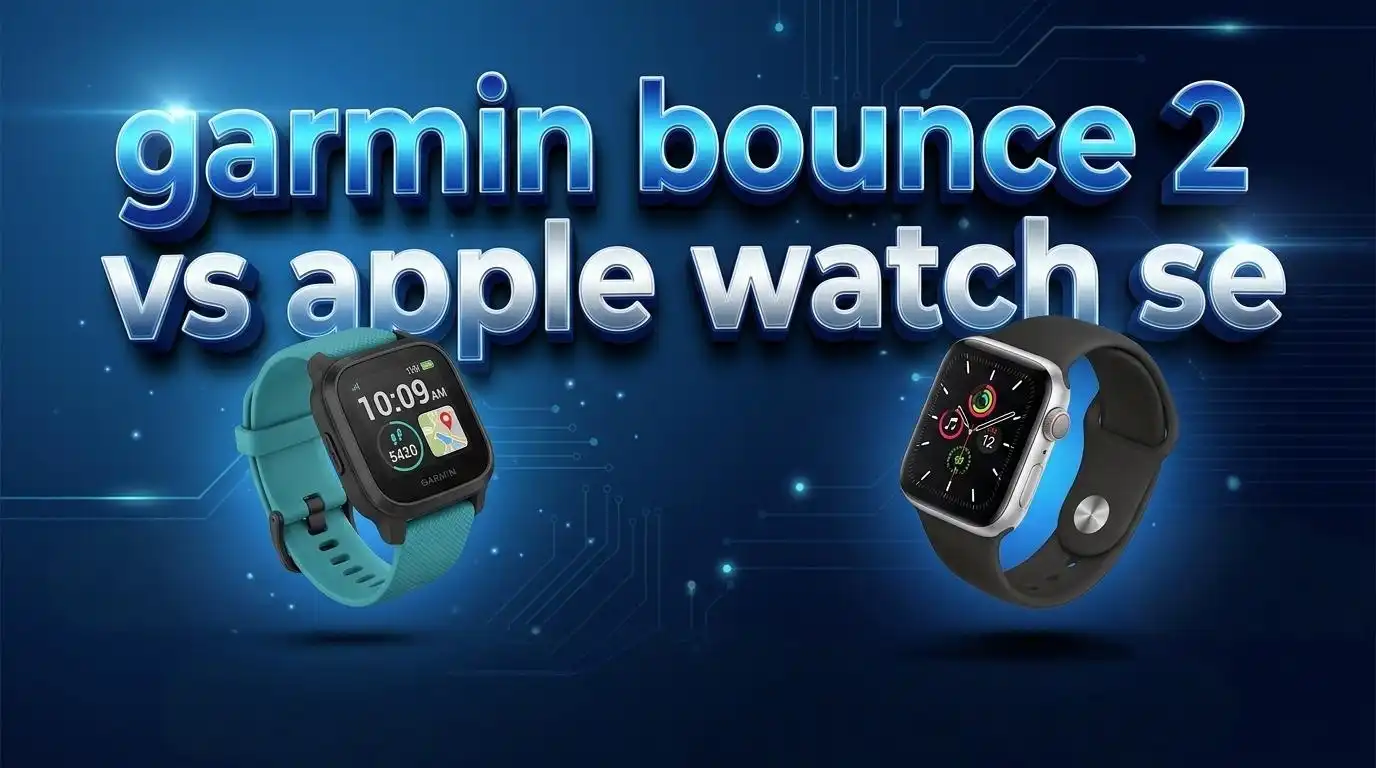
Garmin Bounce 2 vs Apple Watch SE: Which Is Best for Your Kid?
Are you stuck choosing between the Garmin Bounce 2 and the Apple Watch SE for your child? You are not alone. Both watches promise safety, communication, and activity tracking. But they serve very different audiences and come with very different trade-offs.
The Garmin Bounce 2 launched in September 2025 at $299. It is a kid-focused LTE smartwatch. The Apple Watch SE 3 also arrived in September 2025 at $249. It is a full-featured adult smartwatch that Apple wraps in a Family Setup layer for kids.
One watch was built from the ground up for children. The other is a powerful all-rounder that happens to work well for younger users. The right pick depends on your child’s age, your phone ecosystem, and how much control you want as a parent.
This post breaks down every important detail. You will learn about design, safety features, battery life, pricing, and much more. Read on to find the perfect match for your family.
Key Takeaways
- The Garmin Bounce 2 costs $299 plus a monthly LTE subscription of $9.99. It is purpose-built for kids aged 4 to 11. It does not need a smartphone to work. Parents control contacts, messages, and music through the Garmin Jr. app. The watch has a 1.2-inch AMOLED display, 5 ATM water resistance, and up to 2 days of battery life. Geofencing alerts, real-time GPS tracking, and two-way calling make it a strong safety tool.
- The Apple Watch SE 3 starts at $249 for GPS and $299 for GPS + Cellular. It runs watchOS and uses the Apple S10 chip. It offers heart rate monitoring, crash detection, sleep tracking, and an always-on display. Through Family Setup, parents can manage the watch without giving their child an iPhone. It has 64 GB of storage and works with a huge app library.
- The Garmin Bounce 2 is the better pick for younger kids (ages 4 to 9) who need a locked-down, phone-free experience. The Apple Watch SE 3 is better for older kids and pre-teens who will grow into more advanced features. The Apple Watch also serves double duty as an adult watch if your child outgrows it.
Garmin Bounce 2 Overview

- Real-time location tracking lets parents check in on their child’s whereabouts through the Garmin Jr. smartphone app...
- Up to 2 days of battery life means less time charging and more time wearing (connected feature use significantly impacts...

Last update on 2026-08-06 / Affiliate links / Images from Amazon Product Advertising API
The Garmin Bounce 2 is a dedicated kids’ smartwatch. Garmin released it in September 2025 as the successor to the original Bounce. It runs on Garmin OS and uses LTE connectivity for calls, texts, and location tracking.
The watch has a round 1.2-inch AMOLED display. This is a major upgrade from the original Bounce’s square LCD screen. The round design looks more like a real Garmin Forerunner, and kids find it appealing. It weighs just 40.4 grams with the strap.
Garmin designed this watch so your child does not need a smartphone. All communication goes through the Garmin Kids Smartwatch LTE Plan. This costs $9.99 per month or $99.99 per year. Without this subscription, the calling, messaging, and location features will not work.
The watch has 4 GB of internal storage. It supports Amazon Music for offline listening. Parents choose which songs to load through the Garmin Jr. app.
Pros:
- Purpose-built for kids with full parental controls
- Real-time GPS tracking and geofencing alerts
- Two-way calling and text messaging without a phone
- Swim-friendly with 5 ATM water resistance
- Fun activity rewards and chore tracking system
Cons:
- Costs $299 plus a mandatory LTE subscription
- Limited to Amazon Music only (no Spotify)
- Battery life drops fast with heavy LTE use
- Friends must use Garmin app or Bounce to communicate
- LTE coverage may be unreliable in some areas
Apple Watch SE 3 Overview
![Apple Watch SE 3 [GPS 40mm] Smartwatch with Midnight Aluminum Case with Midnight Sport Band - S/M. Fitness and Sleep Trackers, Heart Rate Monitor, Always-On Display, Water Resistant](https://widgetwatch.blog/wp-content/plugins/aawp/public/image.php?url=YUhSMGNITTZMeTl0TG0xbFpHbGhMV0Z0WVhwdmJpNWpiMjB2YVcxaFoyVnpMMGt2TXpGSGNUaFRWRzlHU2t3dWFuQm58MTc4NjIwMTAzNw=)
- GET ESSENTIAL HEALTH INSIGHTS—Apple Watch SE 3 is an advanced health tracker that helps you better understand your...
- A GREAT FITNESS TRACKER—SE 3 can track your workouts in a healthy number of ways—from running and strength training...
Last update on 2026-08-06 / Affiliate links / Images from Amazon Product Advertising API
The Apple Watch SE 3 launched in September 2025 at a starting price of $249 for GPS and $299 for GPS + Cellular. It runs on the Apple S10 chip and watchOS. This is the same chip found in the Apple Watch Series 10.
The SE 3 has a Retina LTPO OLED display and now includes an always-on display for the first time in the SE line. It offers 64 GB of storage, which is double the SE 2. The watch supports temperature sensing, sleep apnea detection, and sleep scoring.
For parents, Apple offers Family Setup. This feature lets you set up the watch for a child who does not own an iPhone. You can control contacts, screen time, and location sharing. The cellular model works with your carrier’s family plan.
The SE 3 uses new Ion-X glass that Apple claims is 4x more crack-resistant than the previous generation. It weighs 32.9 grams for the 44mm GPS model.
Pros:
- Starts at just $249 for GPS model
- Powerful S10 chip with fast performance
- Always-on Retina display
- Huge app ecosystem with Apple Music, Spotify, and more
- Family Setup provides strong parental controls
- 64 GB storage for apps and music
Cons:
- Requires an iPhone in the household for setup
- Not designed specifically for young children
- Cellular plan adds an extra monthly cost through your carrier
- May be too feature-rich for kids under 8
- Smaller wrists may find even the 40mm case large
Design and Build Quality Comparison
The Garmin Bounce 2 has a round 43mm case made from fiber-reinforced polymer. It has a silicone band and a kid-friendly look. The round shape is a big improvement over the original Bounce’s boxy design. Garmin offers it in colors like Turquoise, Slate Gray, and Light Purple.
The Apple Watch SE 3 has a rectangular case available in 40mm and 44mm sizes. The aluminum body comes in Midnight and Starlight finishes. The design is sleek, minimal, and modern.
Both watches are water-resistant to 50 meters (5 ATM). Kids can swim and play in water parks with either one. The Apple Watch SE 3 now uses improved Ion-X glass that resists cracks better. The Garmin Bounce 2 keeps the same lens material as the original.
The Bounce 2 is heavier at 40.4 grams compared to the SE 3 at 32.9 grams. On a small wrist, that difference matters. The Apple Watch sits flatter, while the Garmin has a slightly thicker profile.
Display Technology
The Garmin Bounce 2 uses a 1.2-inch AMOLED touchscreen. Colors are bright and vibrant. The display is easy to read outdoors. Garmin also added physical buttons alongside the touchscreen for easy control. This dual-input design helps younger kids who struggle with touch-only interfaces.
The Apple Watch SE 3 features a Retina LTPO OLED always-on display. The 40mm model has a resolution of 324 x 394 pixels. The 44mm model jumps to 368 x 448 pixels. Text is sharp and clear at any angle.
The SE 3’s always-on display is a significant advantage. Your child can glance at the time without raising their wrist or tapping the screen. The Bounce 2 does not have an always-on option.
Both displays perform well in direct sunlight. The AMOLED panel on the Bounce 2 delivers rich blacks and punchy colors that kids love. The Apple Watch’s Retina display offers more screen space due to its rectangular shape.
Communication Features
This is where the two watches differ the most. The Garmin Bounce 2 offers two-way voice calls, text messaging, and voice messages through its built-in LTE. Your child does not need a phone. All contacts are managed by you through the Garmin Jr. app.
The Bounce 2 has a QWERTY keyboard for typing messages. It supports voice message transcription so kids can read voice messages as text. Only approved contacts can reach your child. Stranger danger is not a concern with this locked-down system.
The Apple Watch SE 3 with cellular also supports calls and messages. However, it works through your carrier’s plan. With Family Setup, you control who your child can contact. The SE 3 supports iMessage, SMS, and phone calls to anyone, not just people using Apple devices.
The Garmin’s big limitation is that your child can only communicate with people who have the Garmin app or another Bounce watch. If their friends use iPhones or Android phones without the Garmin app, they cannot connect. The Apple Watch has no such restriction.
Safety and Location Tracking
Both watches offer real-time location tracking. Parents can see where their child is on a map at any time. Both send alerts when a child arrives at or leaves a location like school or home.
The Garmin Bounce 2 adds a standout feature: geofencing. You set virtual boundaries on a map. If your child crosses that boundary, you get an instant alert. This is extremely useful for parks, neighborhoods, and events.
The Bounce 2 also has an emergency assistance button. When activated, it sends your child’s location to all family contacts. The Apple Watch SE 3 counters with crash detection and fall detection. These features automatically alert emergency services if a serious incident is detected.
Apple also supports Family Setup location sharing through the Find My app. You can track your child’s Apple Watch from your iPhone at any time. Both systems work well, but Garmin’s geofencing gives it an edge for parents of younger, more active kids.
Activity and Fitness Tracking
The Garmin Bounce 2 includes built-in sport profiles for swimming, running, biking, tennis, hiking, jump roping, and soccer. It tracks steps, active minutes, and calories. Kids earn Gems for meeting activity goals. These Gems unlock pictures and interactive stories in the Garmin Jr. app.
The chore and rewards system is a parent favorite. You assign tasks through the app. Your child earns reward points upon completion. Fitness Training Cards teach kids basic exercises like yoga poses and stretches.
The Apple Watch SE 3 offers a full workout app with dozens of exercise types. It has a heart rate sensor, and it tracks calories, steps, and exercise minutes through the Activity Rings. The SE 3 also supports sleep tracking with sleep scoring and temperature sensing.
For younger kids, the Garmin’s gamified approach keeps fitness fun. For older kids and pre-teens, the Apple Watch provides more detailed health data and a broader range of workout options. The SE 3 also supports third-party fitness apps from the App Store.
Battery Life Comparison
Garmin rates the Bounce 2 at up to 2 days of battery life. This estimate assumes moderate use of LTE features. Heavy calling and messaging will drain the battery much faster. Some parents report getting less than one full day with active LTE use.
The Apple Watch SE 3 offers up to 18 hours of battery life on a single charge. With the always-on display active, expect closer to a full day. Apple’s fast charging feature brings the battery from 0% to 80% in about 45 minutes.
Neither watch will last a full weekend without charging. Daily charging is a must for both devices. The Garmin has a slight edge on paper, but real-world LTE use levels the playing field.
For kids who forget to charge, the Garmin’s slightly longer potential battery life could be helpful. But both watches need a nightly charging routine to stay reliable.
Pricing and Ongoing Costs
The Garmin Bounce 2 retails at $299. On top of that, you must pay for the Garmin Kids Smartwatch LTE Plan at $9.99 per month or $99.99 per year. Without this plan, the watch loses its calling, messaging, and tracking features.
Over one year, the Garmin Bounce 2 costs roughly $399 to $419 including the subscription. Over two years, that climbs to $499 to $519.
The Apple Watch SE 3 starts at $249 for GPS only. The GPS + Cellular model costs $299. If you choose cellular, you add the watch to your carrier’s family plan. Most carriers charge $5 to $10 per month for a connected watch line.
Over one year, the cellular Apple Watch SE 3 costs about $359 to $419. Over two years, that totals $419 to $539. The GPS-only model has zero ongoing costs, making it the cheapest option at $249 total.
Ecosystem and Compatibility
The Garmin Bounce 2 works with both Android and iOS. Parents manage everything through the Garmin Jr. app. The watch uses Garmin’s own LTE network, so it is not tied to any phone carrier for its core features.
The Apple Watch SE 3 requires an iPhone in the household. Family Setup needs a parent’s iPhone running the latest iOS. The watch does not work with Android phones at all.
If your family uses iPhones, the Apple Watch integrates smoothly. Your child gets access to Apple Music, the App Store, Apple Maps, Siri, and iMessage. The ecosystem is deep and polished.
If your family uses Android, the Garmin Bounce 2 is the clear winner. It works with any smartphone. The Apple Watch is simply not an option for Android households.
Who Should Buy the Garmin Bounce 2
The Garmin Bounce 2 is ideal for parents of children aged 4 to 9. It works best for families who want a completely locked-down communication device. The watch keeps kids safe without giving them access to the internet, social media, or apps.
It is also a strong choice for active families invested in the Garmin ecosystem. The gamified fitness features, chore tracking, and step challenges keep kids motivated. Parents who value geofencing and phone-free tracking will appreciate the Bounce 2.
This watch suits families who live in areas with reliable LTE coverage. Check Garmin’s coverage map before you buy. The Bounce 2 also works well as a travel safety device since Garmin’s LTE plan covers multiple countries.
The main drawback is cost. At $299 plus subscription, it is expensive for a device your child may outgrow in two to three years.
Who Should Buy the Apple Watch SE 3
The Apple Watch SE 3 is the better choice for older kids aged 9 to 14 and pre-teens who want a more grown-up device. It offers real smartwatch functionality with apps, music streaming, and advanced health tracking.
Families with iPhones will get the most value from the SE 3. Family Setup gives parents strong controls, and the watch grows with your child. When they outgrow kid-focused settings, the watch still works as a full adult smartwatch.
The GPS-only model at $249 is the most affordable option in this comparison. It skips cellular but still tracks workouts, monitors health, and shows notifications when near a known Wi-Fi network or paired iPhone.
The SE 3 is also a great pick if your child’s friends already use iPhones or Apple Watches. Communication is seamless through iMessage and phone calls without any special apps.
Final Verdict: Garmin Bounce 2 vs Apple Watch SE
Both watches solve the same core problem: keeping your child safe and connected without a smartphone. But they approach it differently.
The Garmin Bounce 2 is a purpose-built kids’ device. It offers unmatched parental control, geofencing, and a locked-down environment. It is perfect for younger children and families who want strict limits on communication and content. The ongoing subscription cost and limited friend connectivity are its biggest downsides.
The Apple Watch SE 3 is a versatile smartwatch that adapts to your child’s age. It has better hardware, a bigger app library, and no mandatory subscription for the GPS model. It requires an iPhone household but offers a future-proof investment that your child can use for years.
If your child is under 10 and you want maximum safety controls, pick the Garmin Bounce 2. If your child is 10 or older and your family uses iPhones, the Apple Watch SE 3 is the smarter long-term buy.
Can You Use Garmin Bounce 2 Without a Subscription
Yes, but with major limitations. Without the LTE subscription, the Garmin Bounce 2 loses calling, messaging, and real-time location tracking. It still works as a basic activity tracker and step counter. The watch can track sports, display the time, and log active minutes. However, the core safety and communication features require the $9.99/month plan. Most parents buy the Bounce 2 specifically for those connected features, so skipping the subscription removes much of the watch’s value.
Does Apple Watch SE 3 Work Without an iPhone
The Apple Watch SE 3 requires an iPhone for initial setup. A parent or family member must own an iPhone running the latest iOS. After setup through Family Setup, the child does not need their own iPhone. The cellular model works independently for calls, messages, and location sharing. The GPS-only model needs a nearby iPhone or Wi-Fi for full features. Android users cannot use the Apple Watch SE 3 at all.
Is the Garmin Bounce 2 Durable Enough for Kids
The Garmin Bounce 2 has a fiber-reinforced polymer case and a silicone band. It is rated 5 ATM water-resistant for swimming and water play. However, the original Bounce had reports of cracked screens. Garmin has not changed the lens material for the Bounce 2. Active kids who play rough should use a screen protector. The overall build is solid for everyday use, but it is not indestructible.
Which Watch Has Better International Coverage
The Garmin Bounce 2 uses its own LTE network that covers many countries. Check Garmin’s official coverage map for your travel destinations. Coverage in Asia is limited. The Apple Watch SE 3 cellular depends on your carrier’s international roaming plan. Some carriers do not support Apple Watch roaming abroad. Garmin has an advantage for families who travel frequently within covered regions, but Apple offers more flexibility in countries with strong carrier support.
What Age Is Best for Each Watch
The Garmin Bounce 2 suits kids aged 4 to 11. It is best for children who can read basic text but are too young for a smartphone. The Apple Watch SE 3 suits kids aged 9 and up. It works well for pre-teens who want more features and social connectivity. The right age depends on your child’s maturity, their friends’ devices, and your comfort level with technology access.

Hi, I’m Emma! I’m that friend who always gets asked “Should I buy this gadget?” – and I love it. After years of being the unofficial tech advisor for family, friends, and coworkers, I realized I had a knack for cutting through marketing hype to find what actually works.