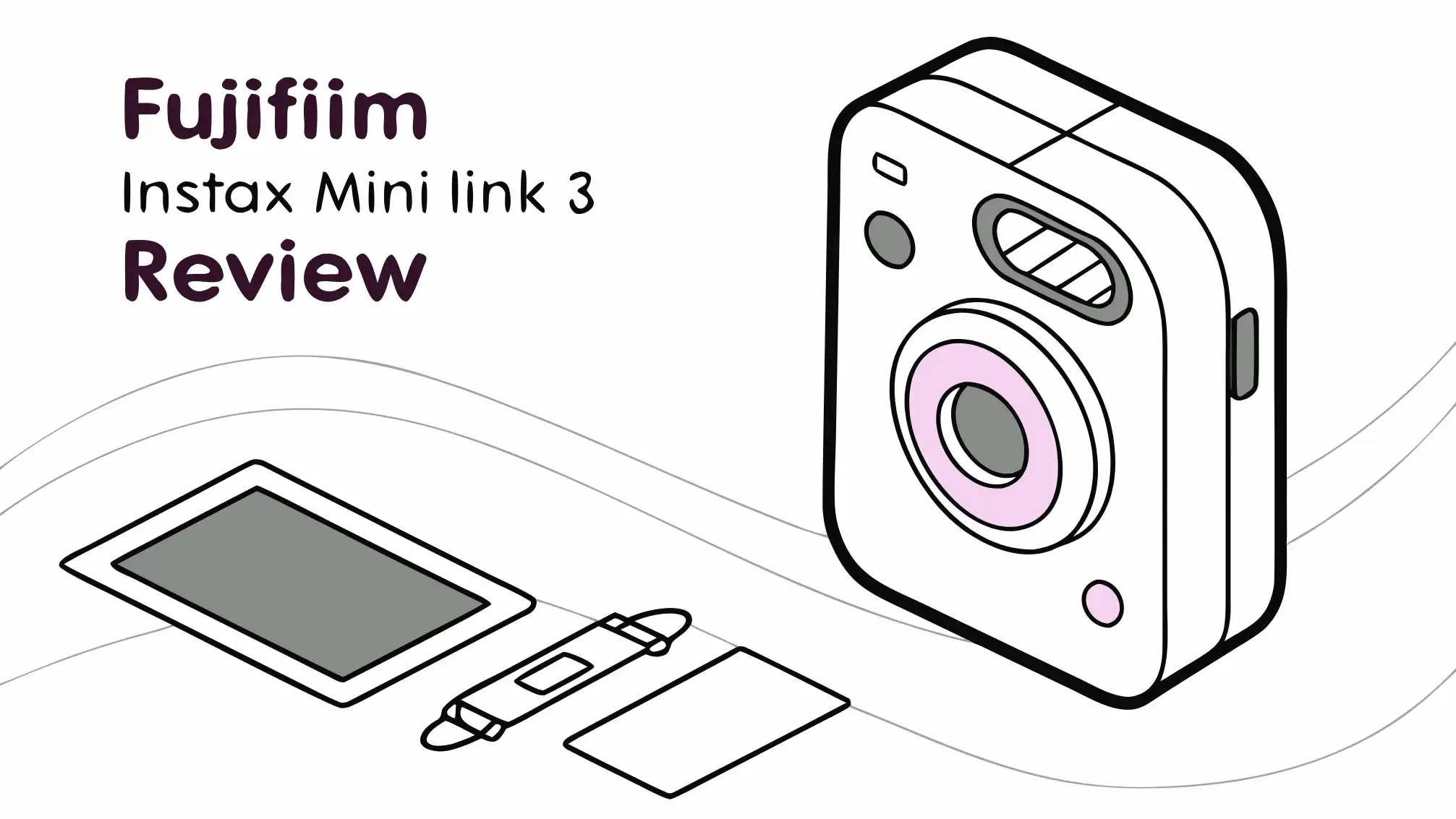
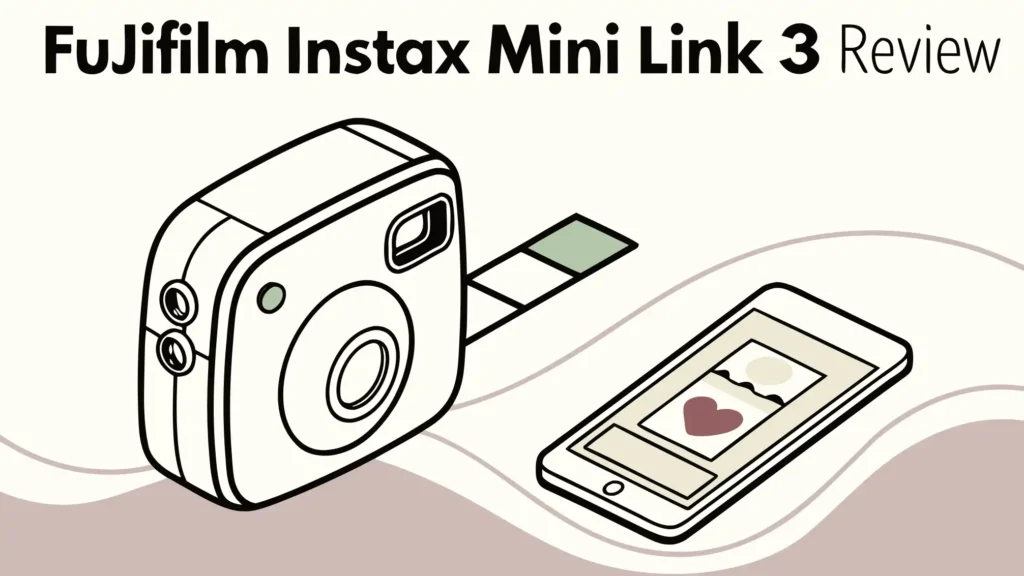
Fujifilm Instax Mini Link 3 Review: Should You Buy It?
Your smartphone gallery holds thousands of photos. But how many of those photos actually escape the digital world? The Fujifilm Instax Mini Link 3 Smartphone Printer changes that game completely.
This pocket-sized printer transforms your favorite smartphone shots into physical instant prints in just seconds. You can hold them, share them, and stick them anywhere you want.
This latest version brings significant improvements over its predecessor. You get better print quality, more creative features, and the same portability that made the series popular.
Key Takeaways
- Instant Printing Power: The Fujifilm Instax Mini Link 3 prints your smartphone photos in approximately 15 seconds, with full development taking around 90 seconds. You get immediate gratification without needing a computer or cables.
- Enhanced Photo Quality: This model produces more vibrant prints with better color accuracy and detail compared to the Mini Link 2. Your photos look crisp, vivid, and professional on the 2.4 x 1.8 inch instant film format.
- AR Studio Features: The instax AiR Studio app lets you add 3D augmented reality effects before printing. You can place balloons, confetti, garlands, and other decorative elements directly into your photos using AR technology.
- Long Battery Life: A single charge powers approximately 100 prints. The rechargeable lithium-ion battery charges via USB-C in about 1.5 to 2 hours, making it convenient for extended use.
- Creative Collage Options: The Click to Collage feature captures six images in three-second intervals. You can select two, four, or six images to print as a single collage print, perfect for creating story-based memories.
- Bluetooth 5.1 Connectivity: The printer connects wirelessly to both iOS and Android devices. The connection is stable, fast, and works seamlessly with the free instax mini Link app.
What Makes the Fujifilm Instax Mini Link 3 Special

The Instax Mini Link 3 represents Fujifilm’s latest innovation in smartphone printing technology. This device is not just about printing photos. It’s about creating experiences. The printer combines modern technology with the timeless appeal of instant photography.
The device features three beautiful LED lights on the front panel. These lights pulse with different colors depending on what the printer is doing. Blue means it’s ready to print. Green indicates charging. Orange signals film-related issues. This visual feedback system makes operating the printer incredibly intuitive.
The textured exterior provides a secure grip. You won’t worry about dropping this device during use. The design feels deliberate and thoughtful. Fujifilm clearly spent time making sure this printer looks good and functions well. The curved edges and compact footprint make it comfortable to hold for extended periods.
The printer uses Bluetooth 5.1 technology for wireless connectivity. This newer Bluetooth version offers faster connection speeds and better range than previous models. Your phone pairs quickly with the device. Once connected, you can send photos to print almost instantly. The wireless functionality eliminates the need for cables or complicated setup procedures.
What truly sets this printer apart is its seamless integration with smartphone photography workflows. You don’t need to transfer files to a computer. You don’t need special software or complicated drivers. The free instax mini Link app handles everything. You select a photo from your gallery, make any desired edits, and hit print. That’s it.
Unboxing and First Impressions
The Fujifilm Instax Mini Link 3 arrives in attractive packaging. Inside the box, you find the printer itself, a USB-C charging cable, and a quick start guide. The packaging is minimal but sufficient. Everything you need to get started is included except for one crucial item: instant film.
The printer does not come with film. You need to purchase Fujifilm Instax Mini film separately. This film comes in packs of 10, 20, or larger quantities. The film is not expensive, but you should factor it into your initial purchase budget. Each print costs approximately 90 cents to $1, depending on where you buy your film.
The printer feels solid when you first pick it up. The 210-gram weight gives it a quality feel without being too heavy. The textured surface looks modern and feels great under your fingers. The three LED lights on the front add a touch of sophistication. When you power it on for the first time, those lights come to life with a welcoming glow.
The power button sits on the side of the device. It’s easy to locate by touch. The film compartment opens with a simple slide mechanism. Loading film is straightforward. You slide open the back, insert your film pack, and close it. The printer automatically ejects a protective cover sheet. After that, you’re ready to print your first photo.
The charging port uses USB-C, which is excellent news. You probably already have USB-C cables and chargers for other devices. This universal standard means you don’t need to carry extra proprietary cables. The printer charges in about 1.5 to 2 hours from empty to full.
Design and Build Quality
The Instax Mini Link 3 received a significant design refresh compared to the Mini Link 2. The new model maintains a similar shape and size but feels more refined. The vertical grooves on the body provide texture and visual interest. These grooves also serve a functional purpose by improving grip.
The printer measures compact enough to fit in most bags. You can carry it in a purse, backpack, or even a large jacket pocket. The rounded edges prevent it from snagging on fabric or feeling uncomfortable in your hand. Every curve and contour seems purposefully designed for both aesthetics and ergonomics.
The three pastel color options cater to different style preferences. Clay White offers a clean, minimalist look. Sage Green provides an earthy, calming aesthetic. Rose Pink delivers a playful, vibrant appearance. Each color features the same textured finish that resists fingerprints and smudges.
Build quality feels premium throughout. There are no creaky plastic parts or loose components. The film compartment opens and closes with confidence. The power button provides satisfying tactile feedback. Even the LED lights are embedded flush with the surface, maintaining clean lines.
The bottom of the printer features rubber feet. These prevent the device from sliding around on smooth surfaces while printing. This attention to detail shows Fujifilm’s commitment to creating a polished product. Nothing about this printer feels cheap or rushed.
Top 3 Alternatives for Fujifilm Instax Mini Link 3

- STEP UP YOUR PRINTING GAME | No more making plans to print tomorrow. | Kodak step printer connects to any ios or android...
- AMAZING ZERO-INK TECHNOLOGY: ZINK innovation eliminates the need for pricy ink cartridges, toners or ribbons. 2” x...
The KODAK Step Instant Smartphone Photo Printer offers a different approach to instant printing. This printer uses ZINK technology instead of Fujifilm’s instant film. ZINK paper has adhesive backing, turning every print into a sticker. The Step printer is slightly more affordable than the Instax Mini Link 3.
However, ZINK prints don’t match the quality of Instax film. The colors appear less vibrant. The paper feels thinner. But if you prioritize sticky-backed photos for decorating journals or walls, the KODAK Step makes sense. The device is compact and comes in multiple color options.

- User-Friendly Portable Photo Printer for iPhone, Android & PC - Get beautiful and colourful memories with Liene 4x6...
- Superior Quality 4x6 Photo Printer - Print photos like no other thanks to the thermal-dye sublimation tech adopted by...
The Liene M100 4×6 Photo Printer takes printing to a larger scale. This printer produces 4×6 inch photos, significantly bigger than the Instax Mini format. It uses dye sublimation technology, which creates professional-quality prints. The colors are accurate, and the prints are water-resistant.
The trade-off is size and portability. The Liene M100 is much larger than the Instax Mini Link 3. You cannot slip it into your pocket. It’s better suited for home use or car trips rather than carrying to parties. The per-print cost is also higher due to the larger size and ribbon cartridge system.

- Instant Photo Printing: The KODAK Mini 2 Retro is a portable photo printer designed to turn smartphone pictures into...
- Genuine 4PASS dye sublimation printing: Each photo is produced in three color layers and finished with a clear...
The Kodak Mini 2 Retro uses 4PASS technology to create durable prints. This printer produces 2.1×3.4 inch photos with a protective laminate coating. The prints are water-resistant and tear-resistant. They feel more durable than Instax Mini prints.
The Kodak Mini 2 Retro offers a good middle ground. It’s portable like the Instax but uses different technology. The app provides various editing features and filters. Print quality is solid, though some users prefer the aesthetic of Instax film. The main advantage is print durability. These photos can withstand more handling and environmental exposure.
Setting Up Your Instax Mini Link 3
Getting started with the Instax Mini Link 3 is remarkably simple. First, charge the device fully. Connect the included USB-C cable to the printer and a power source. The LED lights indicate charging status. A full charge takes about 1.5 to 2 hours.
While the printer charges, download the instax mini Link app from the App Store or Google Play. The app is free and works with both iOS and Android devices. The app size is reasonable and doesn’t consume much storage space.
Once charged, power on the printer using the side button. The LED lights will pulse blue when ready. Open the instax mini Link app on your smartphone. Enable Bluetooth on your phone if it’s not already on. The app will scan for nearby printers.
Select “INSTAX MINI LINK 3” from the list of available devices. The pairing process takes just a few seconds. Once paired, your phone remembers the printer for future sessions. You won’t need to pair again unless you reset the printer or switch to a different phone.
Load your first pack of Instax Mini film into the printer. Open the back cover by sliding the latch. Insert the film pack with the yellow line facing up. Close the cover firmly. The printer automatically ejects the protective cover sheet. Don’t worry, this is normal. The cover sheet protects the film pack and doesn’t contain a photo.
Now you’re ready to print your first photo. Select any image from your phone’s gallery through the app. The app displays the photo with editing options. You can crop, rotate, apply filters, or add text. Once satisfied, tap the print button. The printer springs to life immediately.
The Instax Mini Link App Experience
The instax mini Link app serves as your control center for all printing activities. This free app offers far more than basic printing functionality. It’s a complete creative suite for personalizing your instant prints.
The app interface is clean and intuitive. Main functions are clearly labeled. You won’t spend time hunting for features. The home screen presents several options: Print from Gallery, Print from Camera, Match Test, Instax AiR Studio, and more.
Print from Gallery lets you select any photo from your smartphone library. Once selected, you enter the editing interface. Here you can adjust brightness, contrast, and saturation. You can apply various filters that change the mood of your photo. The app includes vintage filters, black and white options, and vibrant color enhancements.
The cropping tool is essential because smartphone photos don’t naturally match the Instax Mini format. The app provides guides showing the print area. You can zoom and pan to frame your shot perfectly. This ensures important elements don’t get cut off in the final print.
Text overlay functionality allows you to add captions, dates, or messages to your photos. You can choose from several fonts and colors. The text tool is perfect for creating personalized gifts or labeled memory prints. You can position text anywhere on the image.
The app also includes fun mini-games. The Match Test feature is particularly popular at parties. It creates compatibility scores between two people based on their button-pressing patterns. While purely for entertainment, it’s a clever way to engage users and create photo opportunities.
Instax AiR Studio and AR Effects
The instax AiR Studio feature represents the most exciting innovation in the Mini Link 3. This feature uses augmented reality technology to add 3D effects to your photos before you even take them. It’s not post-processing. You see the AR effects in real-time through your camera viewfinder.
Launching AiR Studio opens your phone’s camera within the app. You can then select from various AR backgrounds and decorative elements. Options include balloons, confetti, garlands, hearts, stars, and seasonal themes. These elements appear as 3D objects in your camera view.
The AR effects respond to your environment. If you move your phone, the virtual decorations maintain their position in 3D space. This creates surprisingly convincing results. Your subject can appear to stand among floating balloons or falling confetti. The effect looks natural when you print it.
You can save up to 20 AiR Studio creations within the app. This means you can create AR-enhanced photos and print them later. You don’t need to print immediately after creation. This is useful when you’re creating photos at one location but want to print them elsewhere.
The AR effects work best in well-lit environments. Poor lighting can cause tracking issues. When properly lit, the AR elements integrate seamlessly with your real-world subjects. The technology is impressive and adds genuine creative value to the printing experience.
Some users initially dismiss AR effects as gimmicky. But after experimenting, many find creative uses. Birthday photos with celebratory elements, holiday cards with seasonal decorations, or party photos with fun backgrounds all benefit from this feature.
Click to Collage Feature
The Click to Collage feature brings multi-image printing to the Instax Mini format. This feature captures six images in quick succession, with three-second intervals between shots. After capturing, you can select two, four, or six images to print together as a collage on a single Instax Mini print.
This feature excels at capturing action sequences or group moments. You can document a jump sequence, facial expressions changing, or multiple angles of the same subject. The six-shot burst gives you options to choose the best combination.
The app offers several collage layouts. You can arrange images in grids, strips, or creative patterns. Each layout is optimized for the vertical Instax Mini format. The app automatically sizes and positions your selected photos within the chosen template.
Collage prints are perfect for storytelling. Instead of a single moment, you capture a sequence or collection of related moments. These prints feel more dynamic and engaging than traditional single-image photos. They’re excellent for party favors, event documentation, or creating mini photo stories.
The three-second interval between shots works well for most situations. It’s long enough for subjects to change poses but short enough to maintain continuity. The feature works with both front and rear cameras, allowing for creative selfie sequences.
Print Quality and Image Output
The Instax Mini Link 3 produces noticeably better prints than the Mini Link 2. Reviewers consistently mention improved color accuracy, better detail retention, and more vibrant output. The prints capture the characteristic Instax aesthetic while delivering cleaner, sharper results.
The actual printing process uses three-color exposure with OLED technology. This method exposes the instant film through red, green, and blue light. The chemical process within the film then develops the image. The entire exposure takes about 15 seconds. Full development takes approximately 90 seconds.
Colors in Instax Mini prints lean slightly warm and soft. This aesthetic is part of the Instax charm. The prints don’t have the clinical accuracy of professional photo prints. Instead, they have a pleasant, nostalgic quality. Skin tones generally look flattering. Blues and greens appear slightly muted compared to reds and yellows.
Detail rendering is limited by the small print size. The final image measures 62mm x 46mm (2.4 x 1.8 inches). At this size, fine details naturally get compressed. But for portraits, landscapes, and general snapshots, the detail level is satisfying. You won’t see individual pores or leaf textures, but you’ll clearly recognize faces and scenes.
The prints develop right before your eyes. Watching the image gradually appear over 90 seconds never gets old. The photos start pale and slowly gain color and definition. This development process is part of the magic. It creates anticipation and excitement that digital viewing simply cannot match.
Battery Life and Charging
The Instax Mini Link 3 features a built-in rechargeable lithium-ion battery. This internal battery is not removable or replaceable by users. On a full charge, the printer can produce approximately 100 prints. The actual number varies based on usage patterns and environmental conditions.
Cold temperatures reduce battery performance, as with all lithium-ion batteries. If you’re using the printer outdoors in winter, expect fewer prints per charge. Room temperature use delivers the advertised 100-print capacity reliably.
The printer charges via USB-C port, a welcome modern standard. Charging from empty to full takes approximately 1.5 to 2 hours. You can monitor charging status through the LED lights or through the app when paired. The app displays battery percentage, which is more precise than LED indicators alone.
A useful feature is the ability to print while charging. If your battery runs low during an event, you can plug in a portable power bank and continue printing. This flexibility ensures you won’t miss photo opportunities due to battery limitations.
The battery maintains its charge well when not in use. You can charge the printer, pack it away for weeks, and still find it mostly charged when you retrieve it. This is excellent for occasional users who don’t print daily.
Battery longevity over the device’s lifetime is always a concern with non-removable batteries. Lithium-ion batteries degrade over time and charge cycles. After several years and hundreds of charge cycles, you may notice reduced capacity. However, for typical use patterns, the battery should serve well for several years before significant degradation occurs.
Connectivity and Compatibility
The Instax Mini Link 3 uses Bluetooth 5.1 for wireless connectivity. This is an upgrade from earlier models and provides several benefits. Bluetooth 5.1 offers faster data transfer speeds, extended range, and improved power efficiency compared to older Bluetooth versions.
Pairing is straightforward and reliable. The printer appears in your device list with the name “INSTAX MINI LINK 3.” Connection typically establishes within seconds. Once paired, the printer remembers your device for future sessions.
The printer is compatible with both iOS and Android devices. The instax mini Link app works on both platforms with feature parity. You don’t lose functionality by using one platform over the other. The app requires relatively recent operating system versions but supports devices from the past several years.
The printable image formats include JPEG, PNG, HEIF, and DNG. This covers virtually all common smartphone photo formats. You won’t need to convert files before printing. The app handles format conversion automatically in the background.
Image transfer from phone to printer happens quickly. Sending a photo for printing typically takes just a second or two. The Bluetooth connection handles this efficiently. You can send another photo as soon as the previous one finishes printing.
Multiple users can pair their phones with the same printer. This is perfect for parties where several people want to print from their own phones. Each user installs the app, pairs with the printer, and can print independently. You don’t need to gather everyone’s photos on one phone.
Film Cost and Availability
Understanding the ongoing cost of instant printing is important. The Instax Mini Link 3 uses Fujifilm Instax Mini instant film. This film comes in packs of 10, 20, 30, or more. The per-print cost varies based on pack size and where you purchase.
Typically, individual prints cost between $0.90 and $1.00 when buying larger packs. Smaller 10-shot packs may cost slightly more per print. Buying in bulk reduces the per-print cost. If you plan to print frequently, purchasing 50 or 100-shot packs makes economic sense.
Instax Mini film is widely available. You can find it at major retailers, camera stores, online marketplaces, and even some drugstores. This wide availability means you won’t struggle to find film when you need it. The film doesn’t require special storage conditions but should be kept at room temperature away from extreme heat or direct sunlight.
The film does have an expiration date. Expired film can still work but may produce off-color or faded prints. If you buy in bulk, check expiration dates to ensure you’ll use the film before it expires. Properly stored film typically lasts several years.
Special edition films are also available. Fujifilm occasionally releases film with decorative borders, colored frames, or character designs. These specialty films cost slightly more but add variety to your prints. They’re fun for special occasions or themed photo sessions.
Compared to digital photo printing services, instant printing costs more per image. Professional 4×6 prints from online services often cost $0.10 to $0.30 each. The premium for instant printing comes from the convenience, immediate gratification, and unique aesthetic. You’re paying for the experience, not just the photo.
Creative Uses and Applications
The Instax Mini Link 3 shines in numerous creative applications. Party photography is perhaps the most obvious use. Printing photos at weddings, birthdays, or gatherings lets guests take home physical memories. You can create an instant photo guest book by having attendees print a photo and write a message beside it.
Scrapbooking and journaling enthusiasts love instant prints. The photos fit perfectly in planners, journals, and scrapbooks. The physical nature of the prints makes them ideal for tactile creative projects. You can add handwritten notes, stickers, and decorations around the prints.
Gift giving becomes more personal with instant prints. Create customized photo gifts by printing meaningful images and including them in cards or letters. A small photo print adds a personal touch that digital sharing cannot match. You can also create mini photo albums as gifts.
Travel documentation takes on new dimensions with instant printing. Print photos during your trip and attach them to postcards or travel journals. Write notes on the back about the location and experience. These become treasured keepsakes that capture not just images but also context.
Business applications exist as well. Real estate agents can print property photos during showings. Event planners can document setups and provide instant client photos. Artists can print their smartphone sketches or digital art for quick physical reference.
Educational settings can benefit from instant printing. Teachers can print student photos for classroom displays or projects. Field trip documentation becomes more engaging when students can hold physical photos. Science classes can document experiments with time-stamped photos.
Comparing Mini Link 3 with Previous Models
The Mini Link 3 versus Mini Link 2 comparison reveals several improvements. The most significant upgrade is print quality. The Mini Link 3 produces more vibrant colors, better detail, and improved color accuracy. Side-by-side comparisons clearly show the enhancement.
The design refresh gives the Mini Link 3 a more modern appearance. The textured finish and updated color options appeal to contemporary aesthetics. The LED light system provides better status indication than previous models.
Functionality remains largely similar between the two models. Both use Bluetooth connectivity. Both offer similar battery life. Both work with the same film format. The core printing experience is consistent. If you already own a Mini Link 2, the upgrade may not be essential unless print quality is paramount.
The Mini Link series versus Instax cameras represents different philosophies. Instax cameras like the Mini 11 or Mini 40 are self-contained units. They have a lens and take photos directly. The Mini Link printers don’t take photos. They only print from your smartphone.
The printer approach offers advantages. Your smartphone camera is likely superior to any instant camera’s optics. You get to review and edit photos before printing. You can print old photos from your archive. You’re not limited to printing only what you shoot in the moment.
However, instant cameras provide a different experience. The act of composing through the viewfinder and immediately printing creates a deliberate, mindful approach to photography. Some users prefer this focused experience. The choice between camera and printer depends on your shooting style and preferences.
Limitations and Considerations
Despite its strengths, the Instax Mini Link 3 has limitations to consider. The small print size may disappoint users wanting larger photos. The 2.4 x 1.8 inch format is charming but limited. Fine details get lost at this size. Group photos with many people become challenging to compose effectively.
The ongoing film cost adds up quickly if you print frequently. At approximately $1 per print, printing daily becomes expensive. Users should think of this as special moment printing rather than everyday documentation. Being selective about what you print helps manage costs.
Print quality, while improved, still cannot match professional photo prints. The instant film aesthetic is appealing but not suitable for archival or professional use. Colors are less accurate than dye sublimation or inkjet prints. Sharpness is limited compared to larger format printing.
The film development process is sensitive to temperature and light. Prints developing in direct sunlight may become overexposed. Cold temperatures slow development. Users need to understand these quirks. Protecting prints during development ensures better results.
Battery life of 100 prints may prove insufficient for heavy event use. If you’re printing at a large party, you might exhaust the battery. Bringing a portable charger is wise for extended printing sessions. The inability to replace the battery means the entire unit eventually becomes limited by battery degradation.
The printer is portable but not pocketable. While compact, it’s larger than a smartphone. You need a bag to carry it comfortably. It’s not something you’ll casually bring everywhere like your phone.
Maintenance and Care
Maintaining your Instax Mini Link 3 requires minimal effort. The device is largely maintenance-free. Keep it clean by wiping the exterior with a soft, dry cloth. Avoid using cleaning chemicals or solvents that might damage the plastic finish.
The film compartment occasionally needs attention. Dust or debris can interfere with printing. Check inside the compartment periodically. If you see dust, gently blow it out or use a soft brush. Don’t use compressed air, as the pressure might damage internal components.
Store the printer at room temperature when not in use. Avoid leaving it in hot cars or cold garages. Extreme temperatures can stress the battery and internal components. If the printer gets unusually cold or hot, let it return to room temperature before using.
Load film correctly to prevent jams. The film pack fits only one way, with the yellow line facing up. Forcing it in backwards can damage both the film and printer. If film jams during printing, don’t forcefully pull it. Consult the manual for jam-clearing instructions.
Keep the printer away from moisture. It’s not waterproof or water-resistant. Exposing it to rain or spills can cause permanent damage. If it does get wet, power it off immediately and let it dry completely before attempting to use it again.
The USB-C charging port should be kept clean and free of debris. Lint from pockets or bags can accumulate in the port. Periodically check and clean the port with a toothpick or similar tool if needed. A clogged port prevents proper charging.
Software Updates and Features
Fujifilm periodically releases updates for the instax mini Link app. These updates add features, fix bugs, and improve performance. The app notifies you when updates are available. Keeping the app updated ensures you have access to the latest features and improvements.
Recent updates have added new AR effects, additional collage templates, and improved connectivity. Future updates may bring more creative tools and printing options. The app development appears active, suggesting ongoing support and enhancement.
The printer itself may receive firmware updates through the app. These updates can improve printing performance, battery management, or fix technical issues. When a firmware update is available, the app guides you through the installation process. Keep your printer updated for optimal performance.
New filter options appear regularly in the app. These filters range from subtle adjustments to dramatic effects. The variety lets you personalize your prints without needing separate photo editing software. You can achieve consistent looks across multiple prints using saved filter presets.
Value and Pricing
The Instax Mini Link 3 typically retails between $100 and $120. This pricing positions it as a premium instant printer. It’s more expensive than basic ZINK printers but less costly than larger format instant printers.
The value proposition depends on your usage patterns. Frequent printers will appreciate the quality and features. Occasional users might find the film costs add up. Consider how often you’ll realistically print when evaluating the purchase.
Bundle deals often provide better value. Packages including the printer, film packs, and accessories reduce the initial investment per item. If you’re new to instant printing, bundles help you get started with everything needed.
The printer’s durability suggests good long-term value. Users report reliable performance over extended periods. If the device lasts several years with regular use, the initial cost becomes reasonable when amortized over its lifespan.
Compared to traditional instant cameras, the printer offers more versatility. You’re not limited to photos taken by the device. You can print any digital image. This flexibility increases value for users with existing smartphone photo libraries.
Who Should Buy the Instax Mini Link 3
The Instax Mini Link 3 is perfect for social photographers who love sharing physical memories. If you frequently attend parties, events, or gatherings, this printer adds entertainment value. The instant gratification of handing someone their photo creates memorable moments.
Creative individuals interested in journaling, scrapbooking, or mixed media art will find the printer invaluable. The physical prints integrate seamlessly into analog creative projects. You can combine digital convenience with tactile creativity.
Gift givers who want to add personal touches to presents benefit from instant printing. Include a photo with greeting cards or letters. Create small photo collections as unique gifts. The printed photos add sentimental value.
Teenagers and young adults who embrace nostalgic aesthetics love the Instax look. The retro appeal of instant prints resonates with younger generations discovering analog photography. It’s trendy yet timeless.
Casual users who want occasional physical prints without professional processing services will appreciate the convenience. You don’t need to order prints online and wait for delivery. Print at home whenever inspiration strikes.
Professionals in certain fields, like event photography or real estate, might find practical applications. While not a professional tool, it serves well for quick client engagement or personal marketing materials.
Frequently Asked Questions
How long does the Fujifilm Instax Mini Link 3 take to print?
The printing process itself takes approximately 15 seconds. This is the time from when you press print to when the photo ejects from the printer. However, the photo needs an additional 90 seconds to fully develop. During this development time, the image gradually appears on the film. You should avoid shaking the print during development and protect it from direct sunlight or extreme temperatures. The total time from initiating a print to having a fully developed photo is about 105 seconds. This quick turnaround is one of the key advantages of instant printing.
What kind of film does the Instax Mini Link 3 use?
The printer uses Fujifilm Instax Mini instant film exclusively. This film comes in standard packs of 10, 20, or larger quantities. The film format produces images measuring 62mm x 46mm on an 86mm x 54mm film card. You cannot use other film types with this printer. Fujifilm offers various Instax Mini film options including standard film and special editions with decorative borders. The film contains all necessary chemicals for development, so you don’t need ink cartridges or ribbons. Each film pack includes 10 sheets protected by a cover sheet.
Can I print photos from Instagram or social media?
Yes, you can print any photo saved to your smartphone gallery. This includes screenshots from Instagram, Facebook, Twitter, or any social media platform. Simply save the desired image to your phone’s photo library, then open the instax mini Link app. Select the image from your gallery and print it normally. The square format of many social media photos works well with the app’s cropping tools. You can adjust the framing to fit the vertical Instax Mini format. This capability makes the printer excellent for bringing your favorite social media memories into the physical world.
Is the Instax Mini Link 3 battery replaceable?
No, the battery is internal and not designed for user replacement. The built-in lithium-ion battery is rechargeable via USB-C and should provide years of service with proper care. On a full charge, the battery powers approximately 100 prints. This should be sufficient for most casual use cases. If you need more prints during an event, you can charge the printer using a portable power bank. The printer can print while charging. Eventually, after many charge cycles over several years, battery capacity may diminish. At that point, professional service might be required, though many users will upgrade to a newer model before battery degradation becomes significant.
Does the printer work with both iPhone and Android?
Yes, the Instax Mini Link 3 is fully compatible with both iOS and Android devices. Download the free instax mini Link app from either the App Store or Google Play. The app offers identical features on both platforms. You won’t lose functionality by using one operating system over the other. The printer connects via Bluetooth 5.1, which is standard across modern smartphones. Your device needs a relatively recent operating system version, but most phones from the past several years work without issue. The cross-platform compatibility ensures almost anyone can use the printer regardless of their smartphone preference.
Can multiple people print from the same Instax Mini Link 3?
Absolutely. Multiple users can pair their individual smartphones with the same printer. This feature is particularly useful at parties or events. Each person installs the app on their phone, pairs with the printer via Bluetooth, and can print their own photos. You don’t need to collect everyone’s images on a single phone. The printer can remember several paired devices. When multiple phones are nearby, you select the printer from the app just as you would normally. This multi-user capability makes the printer highly versatile for group settings.
How do I know when the battery is low?
The printer provides several battery status indicators. The LED lights on the front will change color patterns when battery is low. More precisely, you can check battery level through the instax mini Link app when the printer is connected. The app displays a battery percentage indicator, giving you exact remaining power. This allows you to plan charging before the battery runs out. If the battery becomes too low during printing, the printer may stop functioning until charged. The LED system will alert you before this happens, giving you time to connect a charger if needed.
What is the quality like compared to regular photo prints?
Instax Mini prints have a unique aesthetic that differs from traditional photo prints. The instant film produces softer, warmer tones with a slight vintage look. Colors are vibrant but not as precise as professional photo lab prints. The small size means fine details are naturally compressed. However, this aesthetic is part of the appeal for many users. The prints capture the charm of instant photography with that characteristic Instax look. If you want laboratory-accurate color reproduction and maximum detail, traditional photo printing is superior. But if you value immediate results, nostalgic aesthetics, and the unique look of instant film, Instax prints deliver excellent quality for their format.
The Fujifilm Instax Mini Link 3 Smartphone Printer successfully bridges digital convenience with tangible memories. This compact device transforms your favorite smartphone photos into physical instant prints within seconds. The improved print quality, creative app features, and reliable performance make it a worthwhile investment for anyone who values physical photographs.
Whether you’re documenting parties, creating scrapbooks, or simply want to see your digital photos in physical form, this printer delivers. The ongoing film cost is a consideration, but the joy of instant printing justifies the expense for many users. The device is portable enough to bring anywhere yet substantial enough to feel premium.
If you’ve been considering adding instant printing to your photography workflow, the Mini Link 3 represents the current best option in the mini format. It takes everything that made previous models successful and refines it with better output quality and expanded creative features. Your smartphone holds thousands of photos. This printer helps the best ones escape the screen and become real memories you can hold.

Hi, I’m Emma! I’m that friend who always gets asked “Should I buy this gadget?” – and I love it. After years of being the unofficial tech advisor for family, friends, and coworkers, I realized I had a knack for cutting through marketing hype to find what actually works.
Last update on 2026-03-31 / Affiliate links / Images from Amazon Product Advertising API