AngelSense GPS Tracker Review: Is It Worth Your Money?
Keeping track of a loved one with autism or special needs can feel stressful. Parents and caregivers need real solutions, not just promises.
The AngelSense GPS Tracker offers a wearable device built for this exact purpose. It sends location updates every 10 seconds, which is faster than most competitors on the market.
This tracker does more than show a dot on a map. It includes two way voice communication, an auto pickup feature, and an SOS button for emergencies.
But no product is perfect. Some users report battery life issues and missing power switch options. Customer service experiences also vary.
In this review, we break down everything you need to know. We cover the real pros, the real cons, and how AngelSense compares to brands like Tracki, Family1st, and TickTalk 5.
By the end, you will know if this device fits your family’s needs. Let’s get into the details.
In a Nutshell
Here is the AngelSense GPS Tracker summed up for quick reading.
- Real time tracking: This device sends GPS updates every 10 seconds. That is much faster than most competitors on the market.
- Voice communication: The tracker supports 2 way voice calls. It also has an auto pickup feature for quick check ins.
- Safety alerts: Parents get geofence alerts when their loved one leaves a set zone. The SOS button also connects to First Responder support.
- Built for special needs: This tracker is made for autism and special needs families. It focuses on comfort and constant monitoring.
- Battery concerns: Some users report the battery life feels inconsistent. Frequent charging may be needed to keep the device active.
- No manual switch: There is no power button on this device. This can be a plus or a downside depending on your needs.
- Customer service feedback: Some reviewers mention mixed experiences with support. This is worth keeping in mind before you decide.
Real-Time GPS Tracking and Accuracy
When your child wanders, every second counts. The AngelSense GPS Tracker delivers location updates every 10 seconds, which means you see where they are almost instantly. This frequent refresh rate sets it apart from many competitors that only update every few minutes.
Accuracy matters when safety is on the line. The device uses GPS technology to pinpoint your loved one’s location on the caregiver app. You get a live map view that updates constantly. This real time data helps you respond quickly if they leave a safe zone.
The geofence feature works alongside the GPS tracking. You draw a virtual boundary around your home, school, or therapy center. The moment your child steps outside that area, you get an alert on your phone. This proactive notification system gives parents peace of mind during daily routines.
One unique feature is the automatic voice call pickup. If you need to reach your child immediately, the device answers your call without them needing to press anything. You can speak to them directly or listen to what is happening around them. This two way communication adds a layer of security that GPS alone cannot provide.
However, some users report inconsistencies with how accurately the device tracks movement in certain environments. Indoor locations sometimes show less precision than outdoor areas. Urban settings with tall buildings can affect GPS signal strength.
The First Responder alert system is another safety layer. Emergency services can receive location data if needed, which helps during critical situations. This feature is especially valuable for families who worry about worst case scenarios.
Real time tracking gives you visibility, but it requires consistent device use. The tracker needs to stay powered on and connected to work properly. Battery life affects how reliably you get those 10 second updates throughout the day. Without frequent charging, your tracking window shrinks.
The combination of rapid GPS updates, geofencing, voice communication, and emergency alerts creates a comprehensive tracking system. For families managing wandering behavior or safety concerns, this multi feature approach offers more control than basic GPS alone.

- 【GPS Tracker for Kids | No Monthly Fee & No SIM Card with Android & iPhone】This Kid tracker has no recurring...
- 【Real-Time Location Tracking & 7-Day Historical Route Playback】This premium GPS tracker for kids supports stable...
Last update on 2026-09-28 / Affiliate links / Images from Amazon Product Advertising API
Communication Features and Safety Alerts
The communication features on AngelSense set it apart from many competitors. Your loved one can reach you instantly through the 2-way voice system. The automatic voice call pickup means you don’t have to wait for them to answer. Calls connect without extra steps, which matters when seconds count.
The SOS button gives your family a direct emergency line. When pressed, it alerts you and can notify First Responders if needed. This feature provides peace of mind for both caregivers and the person wearing the device. The button is easy to locate and use, even for children with limited motor skills.
Geofence alerts work like invisible safety zones around your home, school, or therapy center. The moment your child leaves that area, you get an instant notification. You can set multiple zones for different locations. This prevents the stress of not knowing where your loved one is at any given moment.
The real-time GPS updates every 10 seconds give you constant visibility. This frequent update rate beats many other trackers on the market. You see movement as it happens, not minutes after the fact. Accuracy matters most in populated areas or places with tall buildings that can block signals.
Some users report that the “phantom wandering” detection occasionally triggers false alarms. This means the device sometimes alerts you when your child hasn’t actually left the geofence. Adjusting your zone size and location can help reduce these false alerts over time.
The First Responder integration adds another safety layer. Emergency services can access your child’s location and medical information during a crisis. This system works best when you update your emergency contact details regularly.
Battery life affects how often these features work for you. Since the device sends GPS data every 10 seconds, the battery drains faster than simpler trackers. Charging every few days becomes part of your routine. The lack of a manual power switch means the device runs constantly when powered on.
These communication and safety features work together to keep your loved one protected throughout the day.
Battery Life and Charging Requirements
The AngelSense GPS tracker relies on a rechargeable battery system. You’ll need to charge the device regularly to keep it running. Battery life typically lasts around 3 days between charges, though some users report this varies depending on usage patterns.
The frequent GPS updates every 10 seconds do impact battery consumption. Your device works harder when it sends location data so often. This means you get constant visibility, but you also need to plan charging into your routine.
Charging is straightforward with a standard USB cable. You can plug the tracker into most USB power sources. Many parents charge the device overnight or during school hours when their child is in a safe location. This timing works well for most families.
One thing to note: the device has no manual power switch. You cannot turn it off to extend battery life. The tracker stays active as long as it has power. This design choice keeps the device always ready for emergencies, but it also means the battery drains continuously.
Real-world charging needs depend on several factors. If your child uses the 2-way voice communication frequently, you may need to charge more often. GPS updates and geofence alerts also consume power. Heavy usage can reduce the 3-day window.
Some users mention that battery consistency feels unpredictable. One charge might last 3 days, while another lasts only 2 days. Environmental factors and device age can affect performance. Keeping the device updated with the latest software may help optimize battery performance.
Plan to have a charging routine ready. Many families charge every evening or every other day. Keep a USB cable accessible in multiple locations. Consider having a backup charger at school, home, or in your car.
The 3-day battery life works reasonably well for most families with special needs children. You won’t need to charge constantly, but you do need consistency. Building charging into your daily schedule prevents unexpected power loss during critical moments.
Top 3 Alternatives
AirTag Apple Tracker

- FIND YOUR ITEMS ON FIND MY — AirTag (2nd generation) helps you keep track of what matters. Attach one to an item you...
- EXPANDED PRECISION FINDING ON IPHONE AND APPLE WATCH — Get step-by-step directions to your lost item on iPhone and...

Last update on 2026-11-23 / Affiliate links / Images from Amazon Product Advertising API
The AirTag works well if you own Apple devices. This tracker uses Bluetooth to help you find lost items quickly. You can attach it to bags, keys, or wallets. The Find My app shows you exactly where your AirTag is located.
Battery life lasts about one year, so you won’t need to charge it often. The device is small and lightweight. It fits easily in pockets or purses. You can play a sound to locate items nearby. If your item goes far away, the entire Apple network helps track it down.
The main limitation is that it works best within the Apple ecosystem. Android users won’t get the full experience. The tracker relies on nearby Apple devices to function properly in lost mode.
Tile Slim Tracker

- OUR THINNEST TRACKER: Protect lost or stolen stuff and make family life easier. Slide into wallets, passports, luggage...
- STAY SAFE WITH SOS: Discreetly trigger an SOS alert to your loved ones in unsafe situations
Last update on 2026-11-23 / Affiliate links / Images from Amazon Product Advertising API
Tile Slim offers a different approach to item tracking. This tracker works with both iOS and Android phones. You can slip it into wallets because it’s designed like a credit card.
The Tile app lets you ring your tracker from your phone to find misplaced items. You can also use the tracker to ring your phone if you lose it. The community feature means other Tile users can help locate your device if it goes missing far away.
Battery life varies depending on the model. Some versions last longer than others. Tile trackers are affordable and easy to use for everyday items.
Gizmo Watch Verizon

- Kids watch with GPS tracker & Safe Zones: Real-time GPS tracking, SOS alerts, and parent-approved contacts. Set Safe...
- Smart watch for kids ages 5+ — calls, texts & group chat without internet or apps: Gabb Watch 3e runs Gabb OS — no...
Last update on 2026-11-23 / Affiliate links / Images from Amazon Product Advertising API
Gizmo Watch is a smartwatch designed specifically for kids. This device includes GPS tracking, so parents always know their child’s location. It has a built-in phone to call approved contacts.
Parents can set safe zones and receive alerts when children leave designated areas. The watch includes messaging and voice call features. It’s more than just a tracker—it’s a communication device. Battery life typically lasts one full day with regular use.
Wearable Design and Comfort
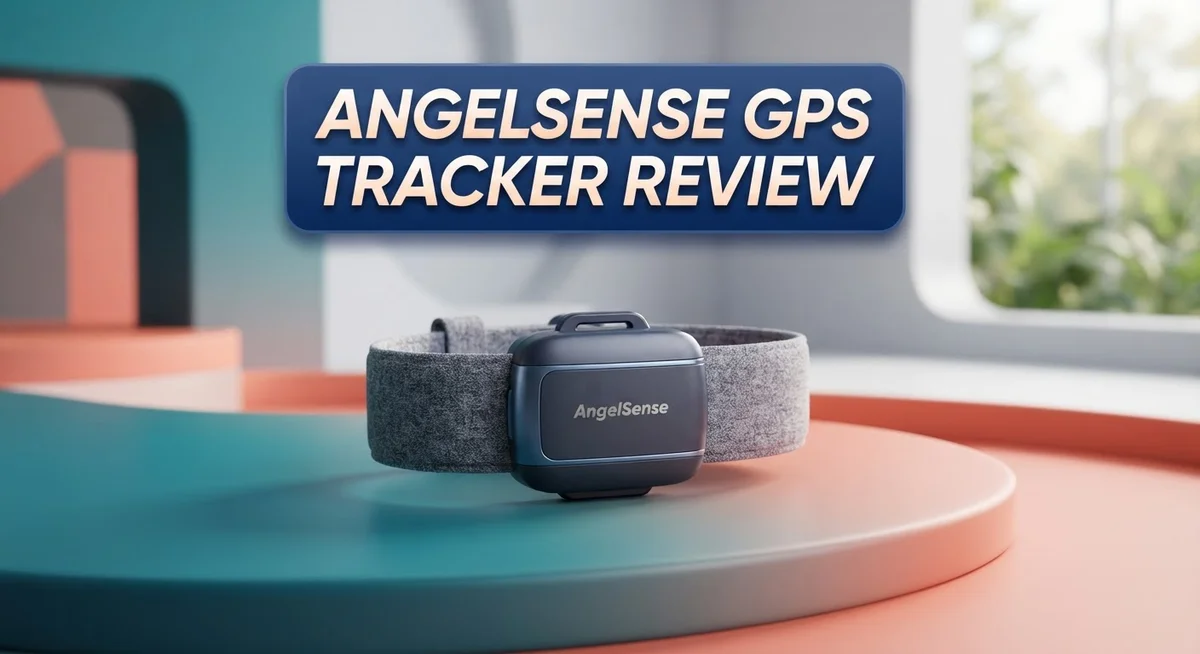
The AngelSense GPS tracker comes in a wearable form that your loved one can carry or wear throughout the day. The device is compact enough to fit in a pocket, clip to clothing, or attach to a wristband. This design makes it practical for children and adults who need consistent monitoring without feeling overly bulky.
Comfort matters when someone wears a device all day. The tracker weighs very little, so most users report minimal discomfort during extended wear. The material feels durable enough to handle daily activities, playtime, and outdoor adventures. Many families appreciate that the device doesn’t draw unwanted attention or feel like a medical device.
The wearable design includes a tactile SOS button that’s easy to locate and press during emergencies. Your loved one can activate it quickly without fumbling through menus or screens. The button placement makes it accessible for users of varying ages and abilities.
One consideration is the lack of a manual power switch. You cannot turn off the device to preserve battery during downtime. This means the tracker stays active continuously, which keeps it ready for emergencies but also drains the battery faster. Planning your charging schedule becomes essential with this always on setup.
The device pairs with a caregiver app on your smartphone. You view real-time location updates and receive alerts directly on your phone. The app interface guides you through geofence setup and emergency features without requiring complex navigation.
Durability is a practical concern for active users. The tracker withstands typical wear and tear from daily use. However, some families mention that the frequent GPS updates and continuous operation can stress the battery over time, affecting long-term durability.
The wearable form factor works well for the target population of individuals with autism and special needs. The simple design reduces sensory overwhelm compared to devices with screens or multiple buttons. Comfort and functionality combine to make this tracker a practical choice for families seeking reliable location monitoring throughout the day.
Caregiver App Interface and Ease of Use
The caregiver app serves as your command center for monitoring your loved one. You access real-time location data directly on your smartphone. The interface displays the tracker’s position with updates every 10 seconds, so you always know where they are right now.
Opening the app feels straightforward for most users. The dashboard shows the current location on a map view. You can see location history to understand movement patterns throughout the day. This helps you spot routine changes or unexpected trips quickly.
The geofence feature works through the app as well. You set invisible safety zones around places like home, school, or therapy centers. The app sends instant alerts when your loved one leaves these areas. You receive notifications on your phone immediately, giving you time to respond.
Two way voice communication happens directly through the app. You can call the tracker and speak with your loved one in real time. The auto pickup feature means calls connect automatically without them needing to press anything. This matters for individuals who may struggle with phone controls.
The SOS button connects to the app system too. When pressed, it triggers emergency alerts that go straight to your phone and designated First Responders. You know immediately that something needs attention.
Navigation through the app feels intuitive for most caregivers. Menu options are organized logically so you find what you need fast. Settings let you customize alert types and notification preferences. You control how much information comes to your phone.
One thing to consider: the app requires a reliable internet connection on your smartphone. Updates depend on both the device having signal and your phone being connected. In areas with poor coverage, you may experience delays.
Battery status appears in the app so you track charging needs. You can see when the device is running low and plan charging accordingly. This visibility helps prevent unexpected shutdowns during the day.
Overall, the caregiver app focuses on giving you essential information without overwhelming you with complicated menus. Most families adapt quickly to checking the app as part of their daily routine.
Pros and Cons
Pros
- Real-time GPS updates arrive every 10 seconds, giving you current location data faster than most competitors
- Two-way voice communication with automatic call pickup means you can reach your loved one instantly through the app
- Geofence alerts notify you immediately when your loved one leaves a designated safe area
- SOS button provides quick emergency access with one tactile press
- Lightweight wearable design fits comfortably for all-day wear without causing discomfort
Cons
- Battery life requires frequent charging, often every evening or every other day depending on usage patterns
- Device has no manual power switch, so you cannot turn it off to extend battery life between charges
- Some users report inconsistent battery performance that feels unpredictable from day to day
- Phantom wandering detection issues have been noted by certain families in real-world use
Who Should Buy It
AngelSense GPS Tracker works best for caregivers who need constant visibility into their loved one’s location. Parents of children with autism benefit most from this device. The 10-second GPS updates give you real-time peace of mind that other trackers cannot match.
This tracker suits families dealing with elopement risk. If your child tends to wander or leave safe areas unexpectedly, the geofence alerts notify you immediately. You get instant notifications before a crisis happens, not after.
Caregivers managing multiple responsibilities find the automatic voice call pickup feature invaluable. You can reach your loved one without them needing to answer. This matters when someone cannot respond to a regular phone call.
The device works well for individuals who need emergency support. The SOS button provides a direct line to help during stressful moments. First Responder alerts ensure emergency services get location data if needed.
Active families appreciate the lightweight wearable design. The device stays comfortable throughout the day without causing irritation. Kids can wear it during school, outdoor activities, and daily routines.
You should consider AngelSense if you want frequent location updates. The 10-second refresh rate beats competitors who update every few minutes. This speed matters when tracking someone in motion or in unfamiliar areas.
The two-way voice communication appeals to caregivers who want direct contact. Speaking through the app feels natural once you get used to it. You maintain constant connection without giving your loved one a complex phone.
However, skip this tracker if you cannot charge it regularly. Battery life requires frequent charging, sometimes every evening. You need commitment to keep the device powered throughout the day.
AngelSense also works for special needs populations beyond autism. Adults with intellectual disabilities, dementia risk, or mobility challenges benefit from the same features. Any situation involving wandering risk or emergency response needs fits this device.
The caregiver app interface appeals to tech-comfortable parents. If smartphone apps feel natural to you, managing AngelSense feels straightforward. You control geofences, receive alerts, and communicate all through one platform.
Bottom line: AngelSense suits families prioritizing frequent updates and real-time peace of mind over battery longevity.
Final Verdict
AngelSense stands out as a strong choice for families who need constant location tracking. Its 10 second update interval beats most competitors like Tracki and Family1st by a wide margin.
The device shines brightest for parents and caregivers watching over someone prone to wandering. Real-time alerts and instant voice contact give peace of mind that generic trackers cannot match.
That said, this tracker is not perfect. Battery limitations remain a real concern for busy households. You need a solid charging routine to keep the device running without gaps.
Some users also report issues with phantom wandering alerts. These false alarms can cause unnecessary stress for caregivers already managing a lot.
Customer service experiences vary too. A few users mention slow responses when troubleshooting device problems, so patience helps if you run into technical snags.
Compared to screenless options like Tracki, AngelSense offers a wearable format built specifically for special needs tracking. This focus sets it apart from general purpose trackers like Spytec or BrickHouse.
Families who prioritize safety features over sleek design will likely find this device worth the effort. The specialized alert system and caregiver focused app justify the extra attention it demands.
If you want a tracker built purely for convenience with minimal upkeep, other options on this list might fit better. But if safety and quick response matter most, AngelSense earns its place at the top.
Overall, this tracker works best for people ready to commit to daily charging and active monitoring. It rewards that effort with dependable location data and fast emergency response.
Our recommendation: choose AngelSense if elopement risk or special needs supervision is your main concern. Skip it only if consistent charging feels impossible for your routine.
For most caregivers facing real safety challenges, this tracker delivers exactly what it promises.
Frequently Asked Questions
Does AngelSense work for kids with autism?
Yes. AngelSense was built specifically for children with autism and other special needs. The device focuses on real-time tracking and quick emergency response. Parents report that the frequent GPS updates every 10 seconds help them stay aware of their child’s location instantly.
The automatic voice call pickup feature lets caregivers speak directly to their child without delay. This matters most when a child tends to wander or leave safe areas. The SOS button gives your child a simple way to call for help.
How often does AngelSense update location?
AngelSense sends GPS updates every 10 seconds. This is much faster than many competitors that update every few minutes. You see your loved one’s location on the caregiver app almost instantly.
The frequent updates mean you catch movement changes right away. If your child leaves a geofence zone, you get an alert immediately. This speed makes AngelSense stand out for families managing elopement risk.
Can the battery last all day?
The battery lasts about 3 days with normal use. However, users report inconsistent results. Many caregivers charge the device every evening or every other day.
The device has no manual power switch, so you cannot turn it off to save battery between charges. If your schedule is busy, frequent charging may feel like extra work. Plan to keep a charger at home and consider having a backup device during travel.
How does AngelSense compare to Tracki?
Tracki is a screenless alternative that works differently. AngelSense is a wearable device designed for special needs populations. Tracki appeals to families who want simplicity without extra features.
AngelSense offers two-way voice communication and automatic call pickup. Tracki focuses on basic tracking. Choose AngelSense if you need direct contact with your loved one. Choose Tracki if you prefer a simpler, screenless option.

Hi, I’m Emma! I’m that friend who always gets asked “Should I buy this gadget?” – and I love it. After years of being the unofficial tech advisor for family, friends, and coworkers, I realized I had a knack for cutting through marketing hype to find what actually works.